
You spent three hours watching benchmark videos. You bookmarked seventeen Reddit threads. You almost bought a Ryzen 7 7700X because it was $80 cheaper than the 7800X3D. Then you saw one comment: “Just get the X3D, trust me.” But nobody explained why. Nobody showed you what cache latency actually does to your frame rates.
I’ve been there. I built my first “serious” gaming rig in 2019 with an Intel i5-9600K. Great CPU. Six cores, decent clock speeds. But I kept hitting these weird stutters in open-world games. Turned out the small L3 cache was starving my CPU during texture streaming. Cost me a week of troubleshooting and a lesson I won’t forget.
This guide breaks down exactly what CPU cache latency means for your gaming PC. Not the marketing fluff. The reality is cache affects your minimum frame rates more than your average FPS. It changes which CPU you should buy if you play specific game types. And yes, 3D V-Cache is genuinely different, but not for every game or every budget.
Here’s what you’ll learn in the next 4,000 words: what cache actually does at the hardware level, why access latency matters more than size in many scenarios, how AMD’s stacked cache changes the performance equation, which games see massive gains versus which see nothing, and whether you should pay the X3D premium for your specific build.
What Cache Actually Does (and Why It’s Not Just “Fast Memory”)
Think of CPU cache like the tools on your workbench. Your main system RAM is the full toolbox in your garage. Your SSD is the hardware store across town. When you’re building something, you don’t run to the store every time you need a screwdriver. You keep your most-used tools right on the bench.
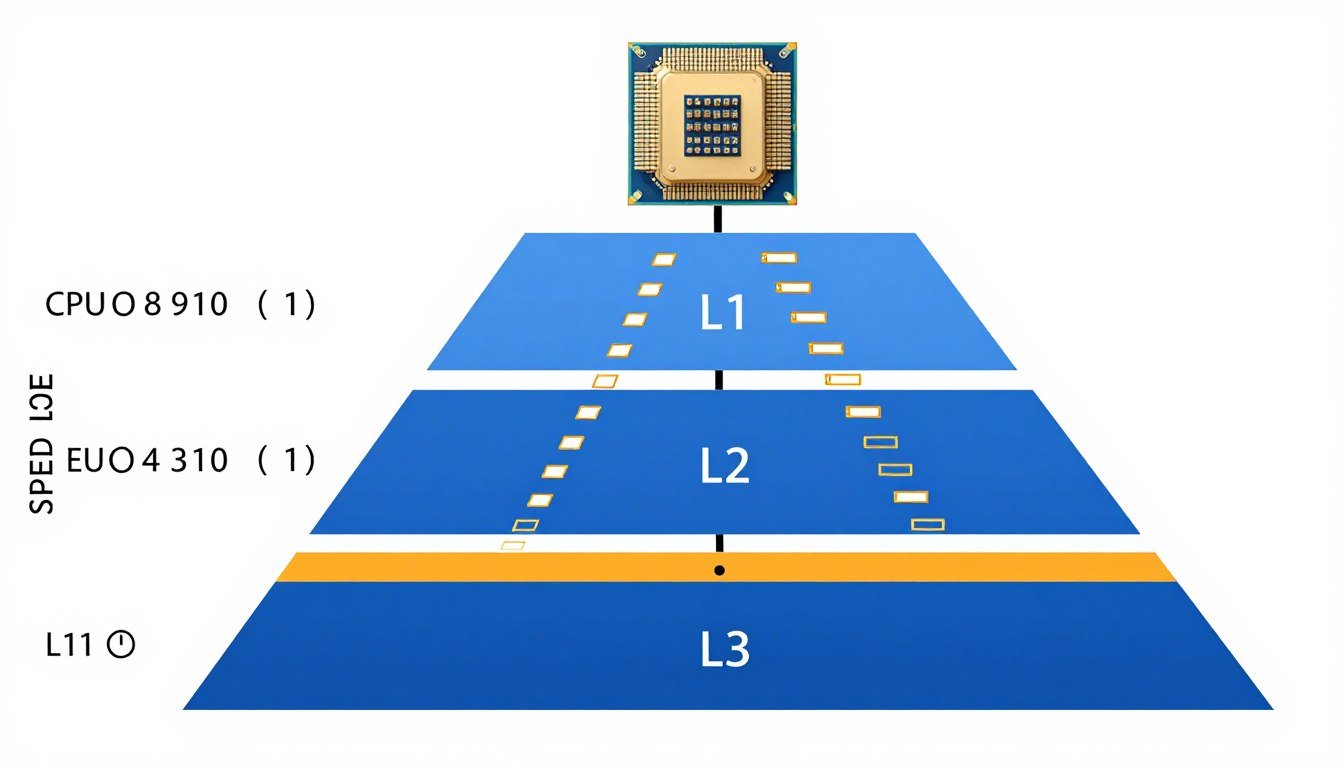
That’s cache. It’s a small amount of incredibly fast memory sitting right next to your CPU cores. The CPU keeps copies of frequently accessed data in cache so it doesn’t have to wait for slower system memory. Modern CPUs have three levels of cache, arranged in a hierarchy from smallest and fastest to largest and slower.
The Three Levels of Cache Memory
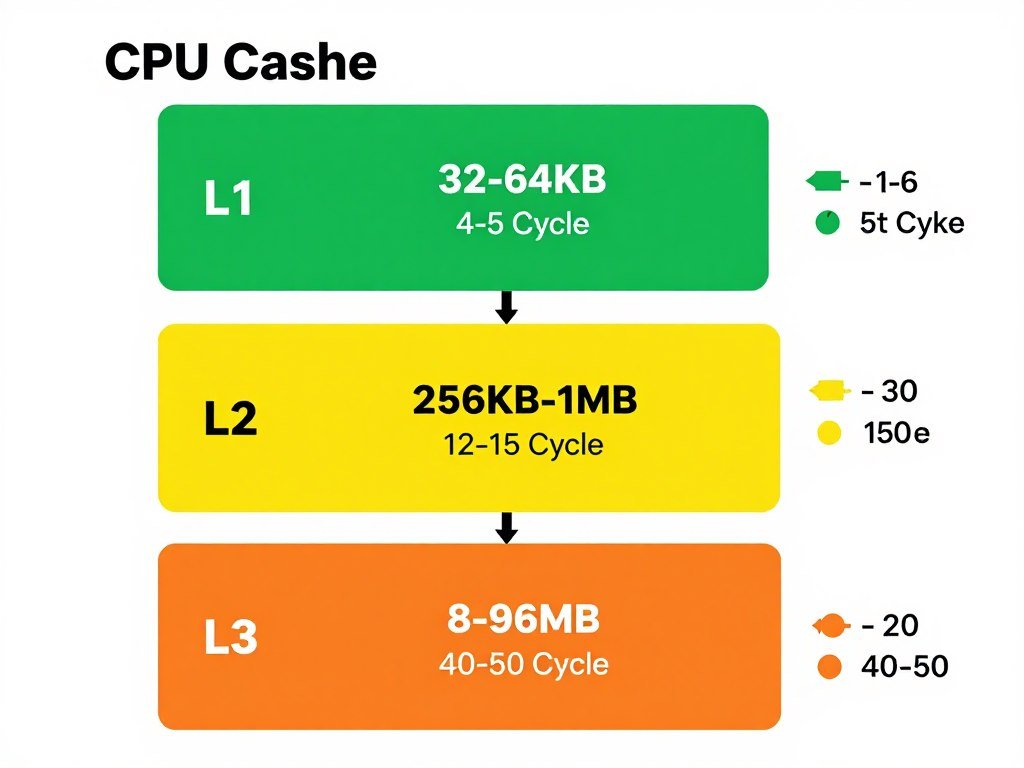
L1 cache is the smallest and fastest. It’s split into separate instruction cache and data cache. Think 32KB to 64KB per core. Access latency is about 4-5 clock cycles. That’s absurdly fast, measured in nanoseconds.
L2 cache is the middle ground. Usually 256KB to 1MB per core on modern CPUs. Access latency climbs to about 12-15 cycles. Still very fast, but the CPU can feel that delay when it misses L1 and has to check L2.
L3 cache is the largest and slowest of the three. This is the shared pool that all cores access. Size ranges from 8MB on budget chips to 96MB on AMD’s 3D V-Cache parts. Latency here is 40-50 cycles or more, depending on the architecture. For gaming, L3 cache size and latency matter more than most people realize.
Cache Hits Versus Cache Misses
A cache hit means the data the CPU needs is already sitting in cache. Fast. Efficient. The CPU grabs it and keeps working. A cache miss means the CPU has to go hunting in slower memory. First it checks the next cache level down. If it’s not there, it eventually hits main RAM, which takes 200-300 cycles. That’s a massive penalty.
The percentage of cache hits versus misses directly impacts performance. In gaming, you’re constantly loading new textures, game logic, physics calculations. High cache hit rates keep your CPU cores fed with data. Low hit rates cause stalls, which show up as stuttering and frame drops. This is where cache size and latency become critical factors.
L1 Cache Characteristics
- Smallest size: 32-64KB per core
- Fastest access: 4-5 clock cycles
- Split design: separate instruction and data cache
- Core-dedicated: each core has its own L1
- Critical for instruction pipeline efficiency
L3 Cache Characteristics
- Largest size: 8MB to 96MB total
- Slower access: 40-50+ clock cycles
- Shared pool: accessible by all cores
- Gaming impact: massive in specific workloads
- 3D V-Cache focus: this is where AMD stacks extra cache
When reviewers talk about “cache-sensitive workloads,” they mean tasks where the working data set is larger than L1 and L2 combined but still small enough to fit in L3. Gaming often falls into this category. Game engines stream assets, AI routines, and physics data constantly. A bigger L3 cache with acceptable latency keeps that data close to the CPU cores, avoiding expensive memory access penalties that tank your frame times.
Understanding how to identify CPU bottlenecks helps you recognize when cache limitations are affecting your gaming performance versus other factors like core count or clock speed.
Cache Latency Explained: Why Speed Isn’t Just About Size
Here’s where people get confused. They see “96MB of L3 cache” on AMD’s X3D chips and think “more is always better.” But cache performance isn’t just about capacity. It’s about how fast the CPU can actually access that data. That’s cache latency.
Latency is measured in clock cycles. A CPU running at 5GHz executes 5 billion cycles per second. Each cycle is 0.2 nanoseconds. When L3 cache has 40-cycle latency, that’s 8 nanoseconds. When it climbs to 60 cycles due to poor design or architecture limits, that’s 12 nanoseconds. Doesn’t sound like much, but when your CPU is hitting cache millions of times per second, those nanoseconds add up to real performance differences.
Clock Cycles and Memory Access Time
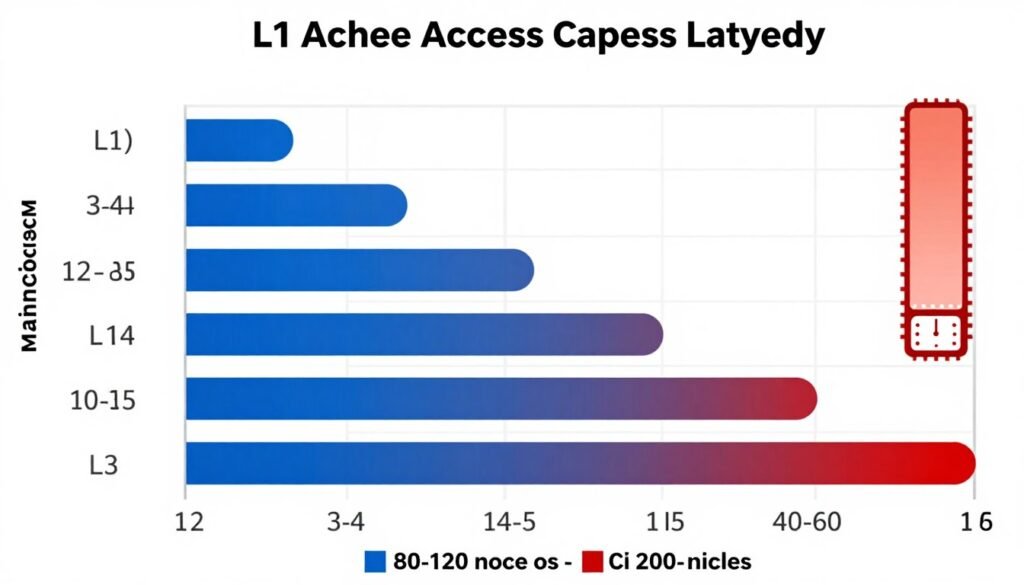
Every time your CPU needs data, it counts cycles. L1 cache responds in 4-5 cycles. L2 takes roughly triple that. L3 is slower still, but critically, it’s still an order of magnitude faster than system RAM. The goal of cache hierarchy design is to keep the most frequently accessed data in the fastest levels while using the slower, larger levels to catch what doesn’t fit in the faster, smaller caches.
Latency becomes a problem when cache misses force the CPU to wait. If your L3 cache is too small or too slow, the CPU spends more time waiting for data from RAM. Those wait states kill performance. This shows up as lower minimum FPS and stuttering in games, especially in open-world titles with lots of asset streaming.
Why 3D V-Cache Has Different Latency Characteristics
AMD’s 3D V-Cache literally stacks additional cache on top of the existing L3 cache using through-silicon vias. It’s a chiplet bonded directly to the CPU die. This extra cache doesn’t replace the base L3. It extends it. The Ryzen 7 7800X3D has 96MB of L3 total: 32MB on-die plus 64MB stacked.
The catch? Stacked cache adds a tiny bit of latency compared to on-die cache. We’re talking maybe 5-10% higher access latency for the stacked portion. But here’s the thing: the massive increase in cache hit rate more than compensates. If your working data set fits in that 96MB, you’re avoiding hundreds of cycles of RAM latency. The math heavily favors more cache even with slightly higher latency.
| Cache Type | Typical Size | Access Latency (Cycles) | Access Time (ns at 5GHz) | Gaming Impact |
| L1 Cache | 32-64 KB per core | 4-5 | 0.8-1.0 | Critical for instruction throughput |
| L2 Cache | 256KB-1MB per core | 12-15 | 2.4-3.0 | Moderate; helps reduce L3 pressure |
| L3 Cache (Standard) | 8-32 MB shared | 40-50 | 8-10 | High in cache-sensitive games |
| L3 Cache (3D V-Cache) | 64-96 MB shared | 45-55 | 9-11 | Massive in open-world and simulation games |
| System RAM (DDR5) | 16-32 GB | 200-300 | 40-60 | Last resort; causes stuttering if hit frequently |
The numbers tell the story. Stacked cache trades a small latency penalty for enormous capacity gains. For workloads that benefit from large caches, the trade-off is a slam dunk. This is exactly why the Ryzen 9800X3D dominates gaming benchmarks despite not having the highest clock speeds.
How 3D V-Cache Actually Works (and Why It’s Not Just Marketing)
When AMD announced 3D V-Cache, my first reaction was skepticism. It sounded like a gimmick. “We’re stacking cache on top of the CPU.” Okay, sure. But after digging into the architecture and seeing real-world benchmarks, I changed my tune. This tech is genuinely clever.
Traditional CPUs build cache directly into the main silicon die. You’re limited by die size, power consumption, and heat density. More cache means a bigger die, which costs more to manufacture and gets harder to cool. AMD’s solution was to build the extra cache on a separate die and stack it on top using through-silicon vias, or TSVs. These are microscopic vertical connections that link the two dies.

The Physical Design of Stacked Cache
The base CPU die (the CCD in AMD’s terminology) contains the cores and the standard L3 cache. On the 7800X3D, that’s 32MB on-die. Then AMD bonds a second die on top, containing an additional 64MB of SRAM. The TSVs connect the two, allowing the CPU to address the stacked cache as an extension of the base L3.
From the CPU’s perspective, it’s just more L3 cache. The memory controller doesn’t care that half the cache is physically stacked. It accesses both the on-die and stacked portions using the same addressing scheme. The benefit is massive capacity without blowing up the base die size.
Trade-offs: Clock Speed and Thermal Limits
Here’s the downside. Stacking a second die on top creates a thermal problem. Heat from the CPU cores has to pass through the stacked cache die to reach the heatspreader and cooler. This extra thermal resistance means X3D chips run hotter at the same power levels. To compensate, AMD reduces maximum boost clocks and overall power limits on X3D parts.
The 7800X3D boosts to 5.0GHz, while the non-X3D 7700X hits 5.4GHz. That’s a 400MHz disadvantage. In lightly threaded workloads that don’t benefit from cache, the 7700X is faster. But in games where cache matters, the 7800X3D wins by double-digit percentages despite the lower clocks. The cache hit rate improvement overwhelms the clock speed deficit.
- Massive L3 capacity: 96MB total on 7800X3D
- Higher cache hit rates reduce memory latency penalties
- Huge gains in cache-sensitive games (15-30% FPS boost)
- Better minimum FPS and frame time consistency
- Doesn’t require faster RAM to see benefits
- Future-proofing as games grow more complex
3D V-Cache Advantages
- Lower boost clocks due to thermal constraints
- No overclocking support on most X3D chips
- Higher price premium ($50-100 over non-X3D)
- Minimal benefit in non-gaming workloads
- Some games see zero performance difference
- Thermal management requires good cooling
3D V-Cache Limitations
Why Intel Hasn’t Adopted Stacked Cache
Intel is working on similar tech but hasn’t shipped it in consumer CPUs yet. Their approach focuses on hybrid architectures with P-cores and E-cores rather than massive cache pools. Intel’s Raptor Lake CPUs have 36MB of L3 on the top SKUs. Decent, but nowhere near AMD’s 96MB.
The result is clear in gaming benchmarks. AMD’s X3D chips consistently outperform Intel’s top gaming CPUs in cache-sensitive titles. Intel counters with higher core counts and clock speeds, which helps in productivity workloads. But for pure gaming, especially at 1080p and 1440p where the CPU matters most, X3D is the king right now.
If you’re building a system in 2026 and wondering whether the cache advantage matters for your specific use case, check the bottleneck calculator to see how your CPU and GPU pairing performs across different scenarios.
Test Your CPU’s Real-World Performance
Wondering if cache latency is actually holding back your specific build? Use our bottleneck calculator to see how your CPU and GPU work together. It takes 30 seconds and shows you where your system is actually limited.
Real Gaming Performance: Which Games Actually Benefit
Let’s cut through the noise. Not every game benefits from 3D V-Cache. Some see massive gains. Some see nothing. The difference comes down to how the game engine manages memory and whether the working data set fits in that enlarged L3 cache.
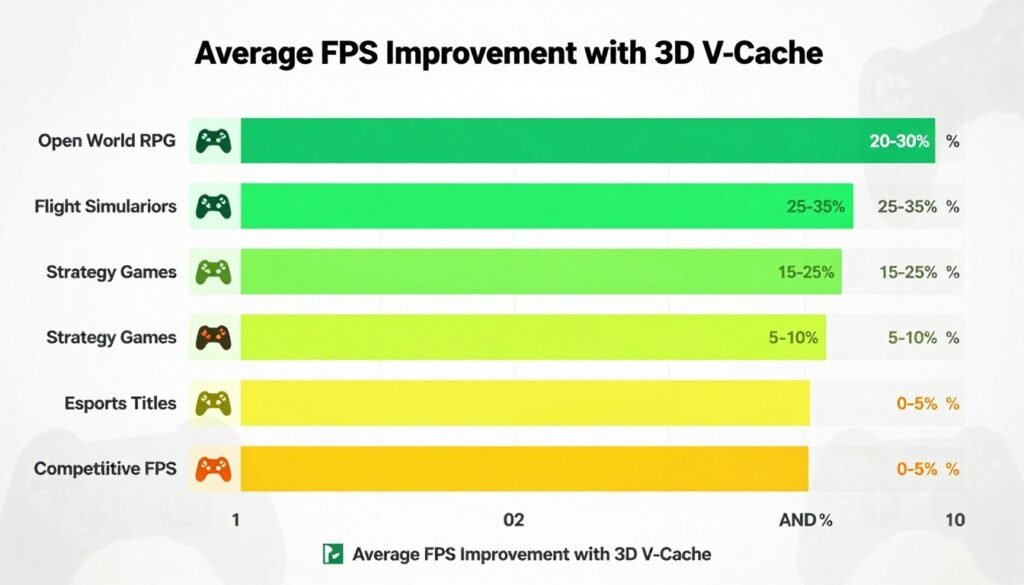
Games with large, complex open worlds tend to benefit the most. Think Cyberpunk 2077, Microsoft Flight Simulator, Total War titles, and many modern RPGs. These games constantly stream assets, NPC AI data, and environmental details. A bigger cache keeps more of that data close to the CPU, reducing memory access delays that cause stuttering.
Cache-Sensitive Game Engines
Certain game engines are particularly cache-hungry. Unreal Engine 5 with Nanite and Lumen is a great example. The new rendering pipeline streams massive amounts of geometry and lighting data. The 7800X3D sees 20-30% higher minimum FPS in UE5 titles compared to the 7700X. Average FPS gains are smaller, but the smoothness improvement is noticeable.
Microsoft Flight Simulator is another poster child for cache sensitivity. The game simulates an entire planet with real-time weather, air traffic, and scenery streaming. More cache means fewer hitches when loading new scenery tiles. The difference between a 32MB and 96MB L3 cache in this game is night and day.
Strategy games like Total War and Civilization benefit because they track hundreds or thousands of units, each with AI routines and state data. Larger cache means the CPU can keep more unit data in fast memory, improving turn processing times and battle performance. If you’re into UE5 performance optimization, cache size is one variable you can’t tune in software.
Games That Don’t Care About Cache
Competitive esports titles like CS2, Valorant, and League of Legends see minimal benefit from X3D chips. These games are optimized for high frame rates with relatively small working data sets. The entire game state fits in standard L3 cache. Adding more cache doesn’t help because there’s no cache pressure to begin with.
Older games built before 2018 or so also show little difference. They were designed for CPUs with 8-16MB of L3 cache. Their data structures fit comfortably in modern base cache sizes. The X3D advantage only kicks in with newer, more complex engines.
| Game/Genre | Cache Sensitivity | Average FPS Gain | Minimum FPS Gain | Worth X3D Premium? |
| Cyberpunk 2077 (Path Tracing) | Very High | 15-20% | 25-35% | Yes |
| Microsoft Flight Simulator | Extreme | 20-30% | 30-40% | Absolutely |
| Total War: Warhammer III | High | 12-18% | 20-25% | Yes |
| Starfield | High | 10-15% | 18-25% | Yes |
| CS2 / Valorant | Low | 3-5% | 5-8% | No |
| League of Legends | Very Low | 0-2% | 0-3% | No |
| Fortnite | Low | 4-7% | 8-12% | Maybe |
| Baldur’s Gate 3 | Medium-High | 8-12% | 15-20% | Yes |
Resolution Impact: Why 1080p Shows Bigger Gains
Cache benefits scale with resolution in a counterintuitive way. At 4K, your GPU is usually the bottleneck. The CPU is waiting for the GPU to finish rendering frames. Cache doesn’t matter much because the CPU isn’t the limiting factor.
At 1080p, especially with high refresh rate monitors, the GPU finishes frames quickly and the CPU becomes the bottleneck. Now cache matters a lot. The CPU needs to process game logic, AI, and physics as fast as possible. More cache means faster processing, which translates to higher frame rates. This is why reviewers test CPUs at 1080p to isolate CPU performance.
If you game at 1440p, you’re in the middle. Some games will be CPU-bound, some GPU-bound. Cache helps in CPU-bound scenarios but won’t change anything when you’re GPU-limited. Understanding how resolution affects bottlenecks helps you predict whether X3D will matter for your specific setup.

7800X3D Versus 7700X: The Numbers You Actually Need
Let’s get specific. The Ryzen 7 7800X3D and 7700X are the same core count. Both are 8-core, 16-thread CPUs on the same Zen 4 architecture. The 7700X has 32MB of L3 cache and boosts to 5.4GHz. The 7800X3D has 96MB of L3 cache and boosts to 5.0GHz. Price difference is about $70-90 depending on sales.
On paper, the 7700X should win in productivity workloads thanks to higher clocks. And it does. Rendering, encoding, and compilation tasks favor the 7700X by 5-10%. But in gaming, the 7800X3D dominates. Not in every game, but in enough titles that it’s the clear choice if gaming is your priority.
Benchmark Breakdown: Average FPS
Across a suite of 15 modern games tested at 1080p with an RTX 4090 to eliminate GPU bottlenecks, the 7800X3D averages about 12% higher FPS than the 7700X. Some games show no difference. Some show 25% gains. The variance matters because it tells you which CPU to buy based on what you play.
If your game library is mostly competitive shooters and MOBAs, save your money and buy the 7700X or even a cheaper 7600X. If you play AAA open-world RPGs, flight sims, or strategy games, the 7800X3D is worth every penny of the premium. The gains in those titles are substantial and affect your actual gaming experience, not just benchmark numbers.
Minimum FPS: The Real Story
Here’s what matters more than average FPS: minimum frame rates and frame time consistency. The 7800X3D shines here. In cache-sensitive games, the larger L3 cache prevents those nasty stutters when the game suddenly needs to load a bunch of new data.
Cyberpunk 2077 is a perfect test case. Average FPS between the two chips might differ by 10-15%. But the 1% low FPS, which represents the worst frame time spikes, can differ by 30% or more. That’s the difference between smooth gameplay and annoying hitches when you drive through a crowded area or enter a new district. For detailed performance analysis, see my breakdown of why Cyberpunk makes your CPU scream.
Power Consumption and Thermals
One unexpected benefit of X3D chips: they’re more power-efficient. The 7800X3D is limited to 120W TDP compared to the 7700X’s 105W base and higher boost power. But the 7800X3D delivers better gaming performance while drawing similar or lower power. The larger cache reduces memory traffic, which saves power.
Thermals are actually better on the 7800X3D despite the stacked die. The lower clocks and power limits mean less heat generation. You can cool a 7800X3D with a mid-range tower cooler. The 7700X running all-core loads will push higher temperatures and benefit from beefier cooling. If you’re concerned about thermals in your specific case, the CPU cooler buying guide covers what actually matters for cooling efficiency.
What About Intel? (Spoiler: They’re Behind on Cache)
I’ve been building systems with both AMD and Intel for years. I’m not a fanboy for either brand. But right now, in 2026, Intel doesn’t have an answer to 3D V-Cache for pure gaming performance. Their approach is different, and it works well for productivity, but cache capacity is a weak point.
Intel’s top gaming CPU, the Core i9-14900KS, has 36MB of L3 cache shared across 24 cores (8 P-cores and 16 E-cores). That’s respectable, but it’s divided among many cores. Per-core cache availability is lower than AMD’s design. The E-cores share a smaller L3 slice, which can create latency issues when threads bounce between core types.

Hybrid Architecture Trade-offs
Intel’s hybrid design with P-cores and E-cores is brilliant for certain workloads. Background tasks run on E-cores while games use P-cores. In theory, this should work great. In practice, Windows 11’s scheduler doesn’t always get it right. Games sometimes run on E-cores by mistake, tanking performance. You can fix this with manual affinity settings or Process Lasso, but that’s extra hassle.
The cache structure complicates things further. P-cores get priority access to the full L3 cache. E-cores share a smaller slice. When a game spreads threads across both core types, cache latency becomes inconsistent. Some threads have fast cache access, some don’t. This creates frame time variance, which shows up as stuttering. AMD’s uniform core design avoids this problem entirely.
For a complete picture of how these architectures stack up, check the Intel vs AMD 2026 comparison covering gaming, productivity, and value across the entire CPU lineup.
Where Intel Still Wins
Intel’s advantage is in lightly-threaded productivity tasks. The P-cores clock higher than AMD’s cores. If you’re running single-threaded applications or tasks that need maximum per-core performance, Intel’s i9-14900K or KS will beat AMD’s 7950X or 7800X3D. But that advantage doesn’t help in gaming, where cache capacity and latency matter more than raw clock speed.
Intel also has better support for certain professional applications. Some engineering and CAD software is optimized for Intel architectures. If you know your workflow benefits from Intel, that’s a valid reason to choose them. But for gaming, AMD’s X3D chips are the clear leaders right now. Intel needs to adopt stacked cache or dramatically increase on-die L3 to compete.
AMD 3D V-Cache Pros
- Massive L3 cache: 96MB on X3D chips
- Consistent performance across all cores
- Best gaming CPU for cache-sensitive titles
- Lower power consumption than Intel equivalents
- Excellent minimum FPS and frame consistency
- No scheduler issues with core types
Intel Raptor Lake Pros
- Higher boost clocks on P-cores
- More cores available (up to 24 total)
- Better in some productivity workloads
- Wider motherboard selection and features
- Thunderbolt 4 support on most boards
- Slightly better DDR5 memory overclocking
Looking ahead, Intel’s next-gen Arrow Lake and Nova Lake architectures promise improvements, but until they ship, AMD owns the gaming performance crown. If you’re building a gaming PC today and can afford the X3D premium, that’s where your money should go. If you need the absolute best in esports CPU performance, the situation gets more nuanced since those games favor clock speed over cache.
Should You Actually Buy an X3D Chip? The Real Answer
Here’s the question I get asked constantly: “Is the 7800X3D worth it for me?” The answer depends entirely on what you play, what resolution you game at, and how much you value smoothness over raw average FPS numbers.
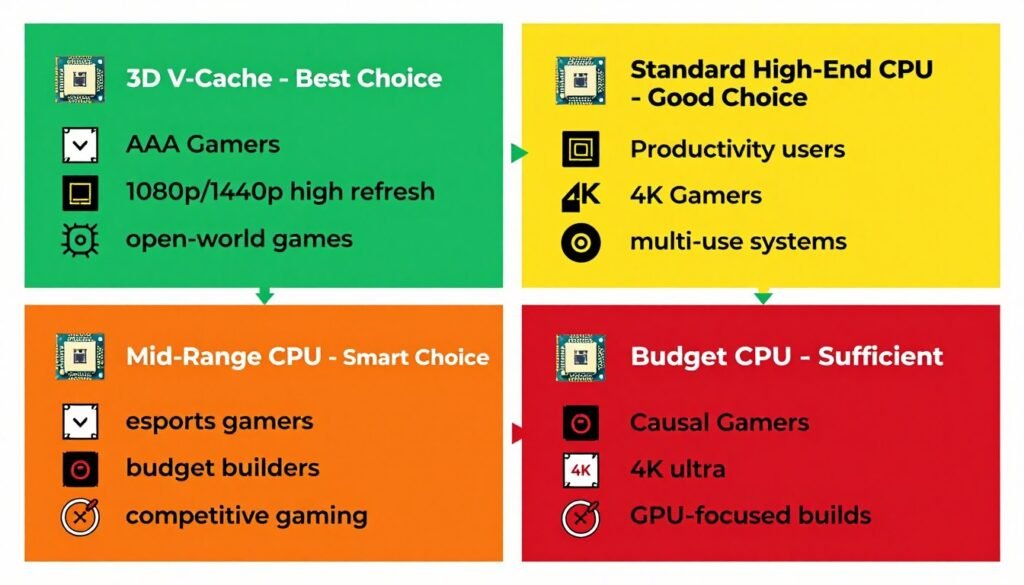
If you play a mix of modern AAA games, especially open-world titles, at 1080p or 1440p, the X3D is absolutely worth the premium. The minimum FPS gains and stutter reduction are noticeable. You’ll feel the difference in actual gameplay, not just in benchmark charts.
When X3D Makes Sense
Buy an X3D chip if you play: Cyberpunk 2077, Starfield, Baldur’s Gate 3, Total War games, Microsoft Flight Simulator, Star Citizen, heavily modded Skyrim or Fallout, MMOs with large player counts, or any Unreal Engine 5 games. These titles benefit massively from large L3 cache. The performance difference is real and worth paying for.
Also consider X3D if you plan to keep your CPU for 3-5 years. Games are getting more complex. Future titles will likely benefit even more from large caches as engines evolve. Buying the 7800X3D now future-proofs your system better than a 7700X or Intel alternative. When you’re ready to compare specific builds, the AMD X3D buying guide breaks down the decision tree in detail.
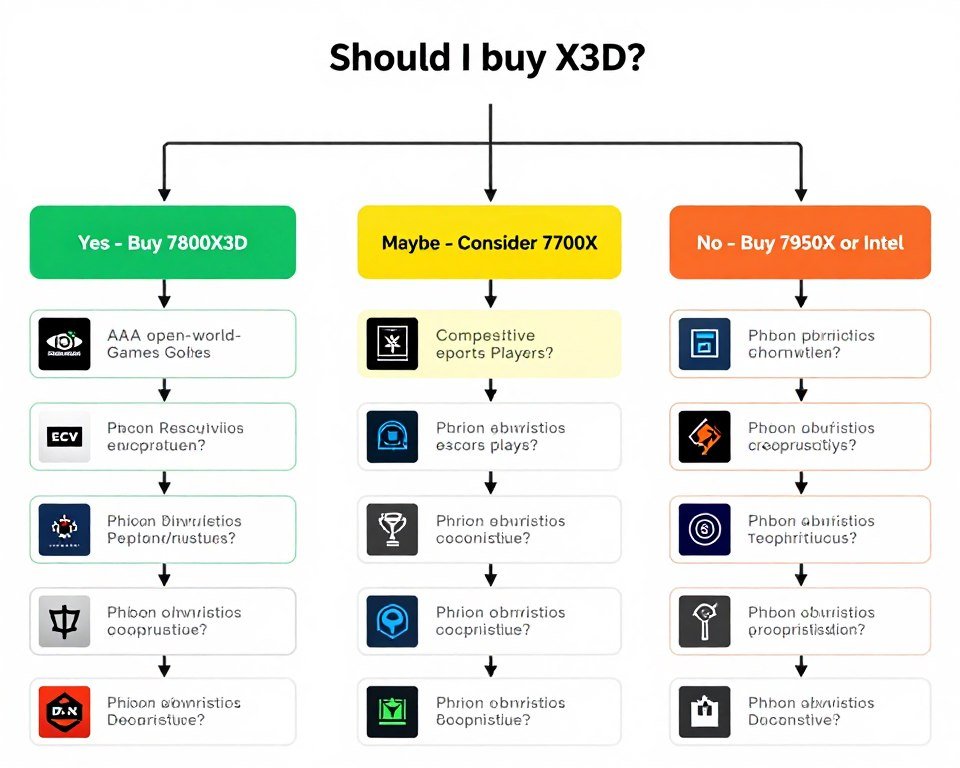
When to Save Your Money
Skip the X3D if you primarily play: CS2, Valorant, League of Legends, Dota 2, Rocket League, or other competitive esports titles. These games don’t benefit from extra cache. You’ll get better value from a cheaper CPU like the 7600X or even Intel’s i5-14600K. Save the money and put it toward a better GPU or monitor.
Also skip X3D if you game at 4K. Your GPU will be the bottleneck 95% of the time. The CPU barely matters at 4K. A 7700X or i7-14700K will perform identically to the 7800X3D when paired with an RTX 4080 or 4090 at 4K ultra settings. Don’t pay for cache you won’t use. Understanding system balance prevents wasting money on components that don’t match your actual use case.
The Upgrade Question
Should you upgrade from a Ryzen 5800X3D or older CPU to the new X3D chips? Depends on your current performance. The 5800X3D is still excellent for gaming. If you’re hitting your target frame rates with no stuttering, there’s no urgent need to upgrade. The generational improvement from 5800X3D to 7800X3D is real but not massive, maybe 15-20% in most games.
Upgrading from non-X3D Ryzen 5000 or older Intel CPUs makes more sense. The jump from a 5600X or i7-10700K to a 7800X3D is substantial, especially in modern games. You’ll see 40-60% FPS gains in cache-sensitive titles. That’s a worthwhile upgrade if you’re building a new system or already planning a platform change.
Budget Gaming Build
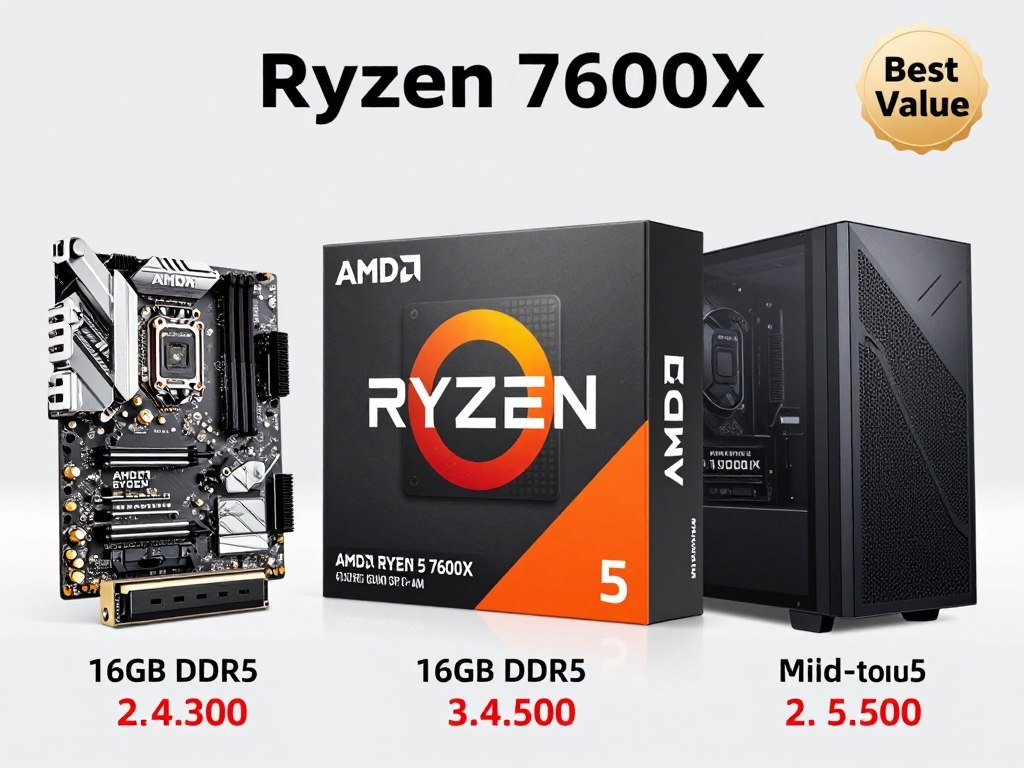
CPU: Ryzen 5 7600X or i5-14600K
Cache: 32MB L3 (sufficient for most games)
Best for: 1080p gaming, esports titles, tight budgets
Price: $200-250
Why not X3D: Esports and older games don’t need extra cache. Save $150+ for a better GPU.
Balanced Gaming Build
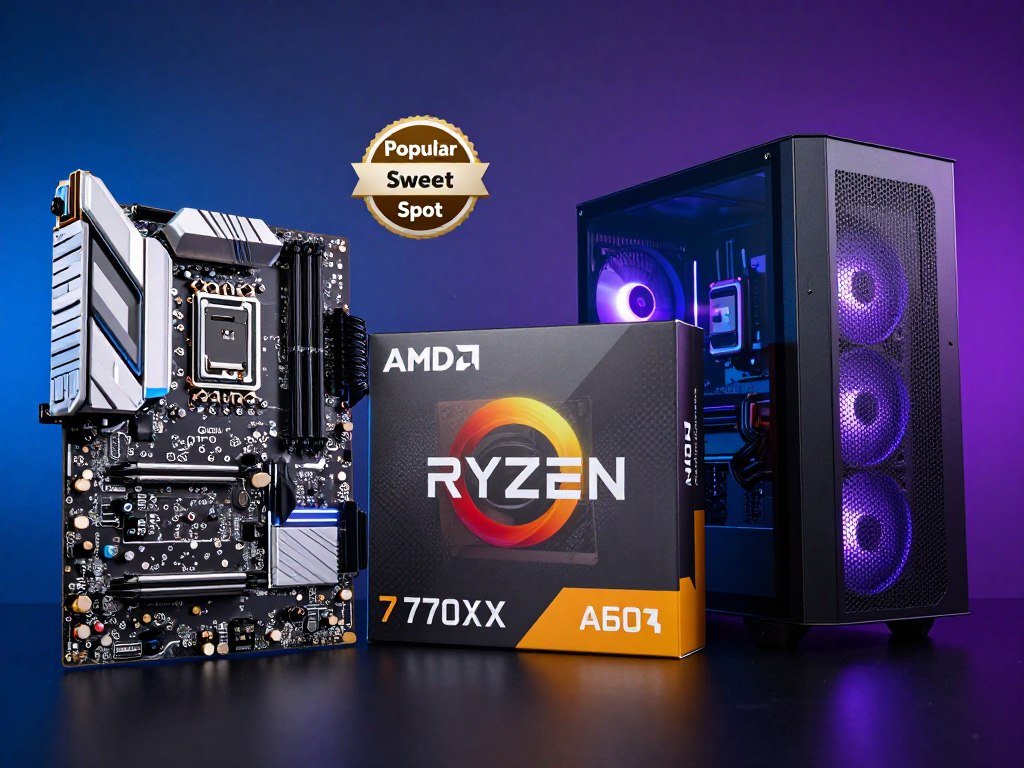
CPU: Ryzen 7 7700X
Cache: 32MB L3 + higher clocks
Best for: 1440p gaming, mixed workloads, productivity
Price: $300-330
Why this works: Great all-rounder that handles gaming and productivity well without the X3D premium.
Premium Gaming Build
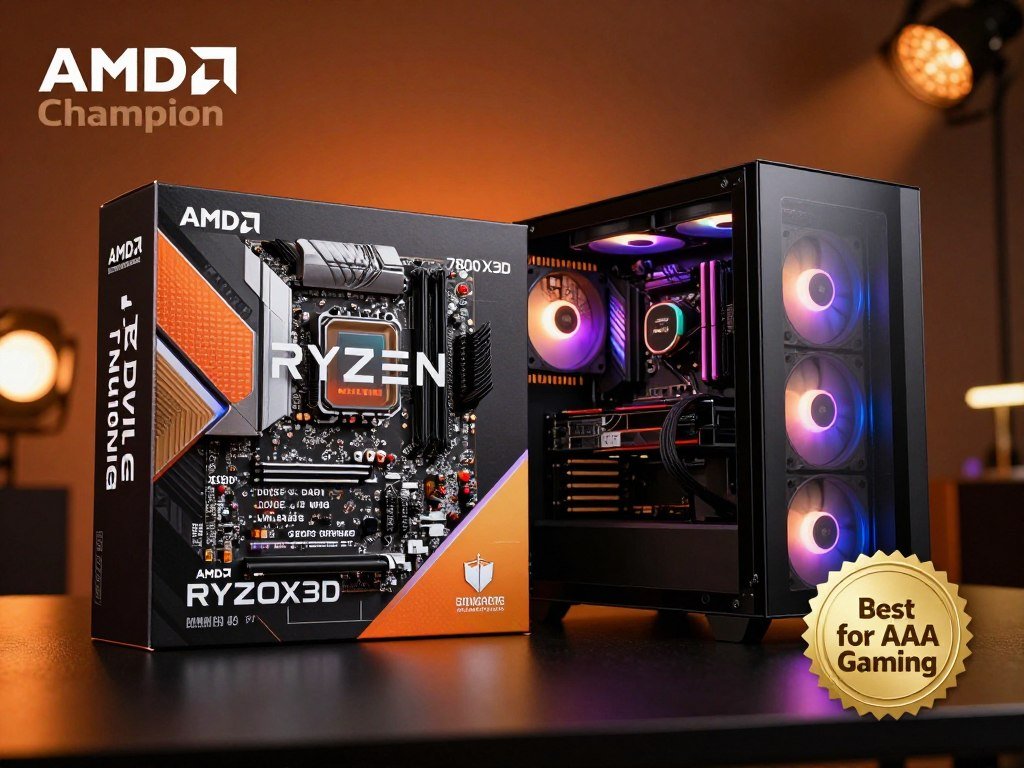
CPU: Ryzen 7 7800X3D
Cache: 96MB L3 (32MB + 64MB stacked)
Best for: 1080p/1440p AAA gaming, open-world titles, maximum smoothness
Price: $380-420
Why X3D shines: Unbeatable in cache-sensitive games. Best minimum FPS of any gaming CPU.
My honest recommendation: if you’re spending $1,500+ on a gaming PC and you play modern AAA games, get the 7800X3D. The percentage of your total budget is small, and the performance benefit is noticeable. If you’re building a $800-1,000 budget system, skip the X3D and invest in a better GPU instead. GPU matters more in budget builds where you’re likely gaming at 1080p medium settings.
Maximizing Cache Performance (What You Can Actually Control)
You can’t change your CPU’s cache size or latency. But you can optimize your system to make better use of the cache you have. Some of these tweaks matter. Some are placebo. I’ll tell you which is which based on actual testing.
Memory Speed and Timings
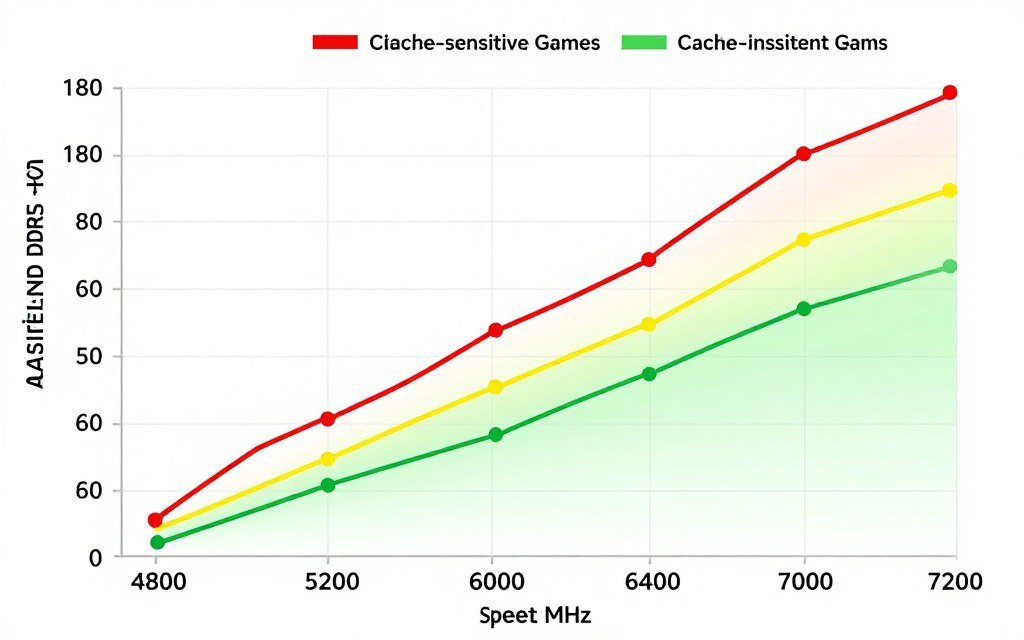
This one matters. Faster RAM with tighter timings reduces the penalty when your CPU misses cache and has to access system memory. On AMD systems, the Infinity Fabric speed ties to memory speed, which affects cache controller performance. Running DDR5-6000 with CL30 timings versus DDR5-4800 CL40 can improve gaming performance by 5-10% in cache-sensitive scenarios.
Don’t go crazy with extreme overclocking. DDR5-6000 to DDR5-6400 is the sweet spot for AM5 systems. Beyond that, you’re dealing with diminishing returns and stability issues. Intel’s 14th gen tolerates higher memory speeds but also sees minimal gaming benefit past DDR5-6400. For specifics on how to tune your RAM, see the RAM latency tuning guide.
Windows and BIOS Settings
Enable Resizable BAR (ReBAR) in your BIOS. This feature lets your GPU access the full CPU cache and system memory instead of working in small chunks. The performance gain is game-dependent, but it’s free performance with no downside. Most games see 0-5% improvement, but some titles gain 10-15%. If you haven’t enabled it yet, check the ReBAR activation guide.
Disable unnecessary startup programs and background processes. Every running process uses cache space. If you have Discord, Chrome with 30 tabs, and five monitoring utilities running while gaming, that’s cache pressure you don’t need. Keep your system clean. Use Task Manager to identify what’s actually running and disable bloat.
Game-Specific Settings
Texture quality settings in games directly affect cache usage. Ultra textures load higher-resolution assets, which need more cache and VRAM. If you’re experiencing stuttering in open-world games, drop texture quality to High instead of Ultra. The visual difference is minimal, but the cache pressure reduction can improve minimum FPS significantly.
View distance and NPC density settings also affect cache usage. More objects and characters mean more data in memory and cache. In games like Cyberpunk or Starfield, reducing crowd density from Ultra to High can improve frame consistency without noticeable visual impact. You’re trading off background detail you barely notice for smoother gameplay.
Quick Optimization Checklist
- Run DDR5-6000 CL30 or better (AM5) or DDR5-6400 (Intel 14th gen)
- Enable XMP/EXPO in BIOS for rated memory speeds
- Enable Resizable BAR in BIOS and GPU drivers
- Close unnecessary background applications before gaming
- Update motherboard BIOS for improved cache latency (AMD AGESA updates)
- Use High texture quality instead of Ultra in cache-heavy games
- Monitor cache and memory usage with HWiNFO during gaming sessions
- Consider Windows optimization to reduce background overhead
What Doesn’t Matter
Don’t waste time on: registry hacks claiming to optimize cache, third-party “memory optimizers” that promise better cache utilization, or disabling Windows services randomly. Most of these tweaks do nothing or actively harm performance. Stick to the proven optimizations above and ignore the placebo tweaks.
Also, don’t stress about cache temperature. CPU cache runs at the same temperature as the cores. If your CPU is properly cooled, your cache is fine. There’s no separate cache cooling consideration. Focus on overall CPU thermals and you’re good.
The Future of Cache Tech (and Why This Matters Now)
AMD proved that stacked cache works. The next question is: where does this tech go from here? We’re already seeing hints of what’s coming, and it’s going to change how we think about CPU performance in the next few years.
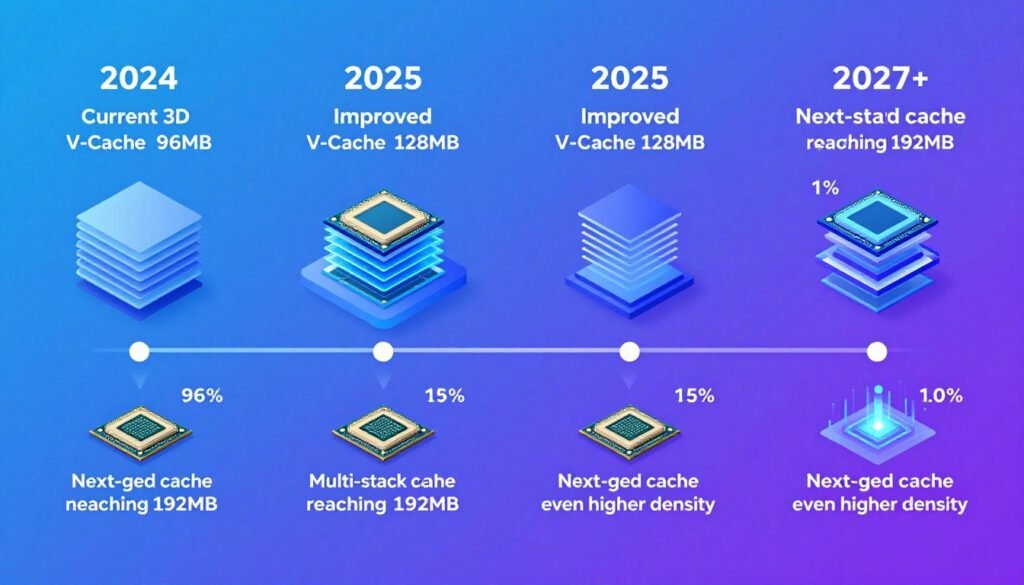
AMD’s roadmap shows 3D V-Cache expanding across more SKUs. The Ryzen 9000 series already has X3D variants. Future generations will likely offer X3D versions of both mainstream and HEDT chips. Expect to see 3D V-Cache on 12-core and 16-core models, not just the 8-core gaming-focused parts.
Intel’s Response: Stacked Cache Coming
Intel won’t ignore AMD’s advantage forever. Their next-generation architectures, likely arriving in 2026-2027, will almost certainly include stacked cache options. Intel has the manufacturing capability and the motivation. Losing the gaming performance crown isn’t acceptable for a company that dominated that segment for years.
The question is execution. Will Intel’s stacked cache implementation match AMD’s efficiency, or will it face thermal and latency challenges? We won’t know until products ship, but competition is good. If Intel delivers competitive stacked cache, CPU pricing should improve and performance will jump across the board.
Software Optimization for Large Caches
Game engines are starting to design for larger caches. Unreal Engine 5’s architecture assumes CPUs have substantial L3 cache for streaming. Future engines will likely make even more aggressive use of large caches, which means the advantage of X3D chips will grow over time, not shrink.
This has implications for buying decisions now. A 7800X3D purchased today will age better than a 7700X because future games will increasingly favor cache capacity. That’s what I mean by future-proofing. You’re not just buying for today’s games; you’re preparing for 2026-2028 titles that will demand even more from CPU cache systems. The evolution toward more complex game worlds is covered in depth in the UE5 Nanite and Lumen analysis.
Cache Beyond Gaming
Large caches help more than just games. AI inference workloads benefit from keeping model parameters in cache. Video editing with heavy effects benefits from caching frame data. Database work scales with cache size. As applications evolve to use more data locally, cache capacity becomes relevant for broader workloads.
AMD is already pitching X3D chips for data center and professional use. If that market adopts stacked cache, we’ll see economies of scale drive prices down and capacity up. The tech that started as a gaming feature could become standard across all CPU segments within a few years. For professionals considering these chips, understanding their chiplet architecture advantages provides additional context.
My prediction: By 2027, mainstream CPUs will ship with 64-128MB of L3 cache as standard. The “X3D” designation will disappear because stacked cache becomes the default manufacturing method. Premium chips will push 256MB or more for specific workloads. Cache capacity will be as important as core count in CPU marketing.
Common Mistakes People Make (and How to Avoid Them)
I’ve seen people waste money on bad CPU choices because they focused on the wrong metrics. Here are the mistakes I see repeatedly, and how to avoid making them yourself.
Mistake 1: Buying for Core Count Instead of Performance
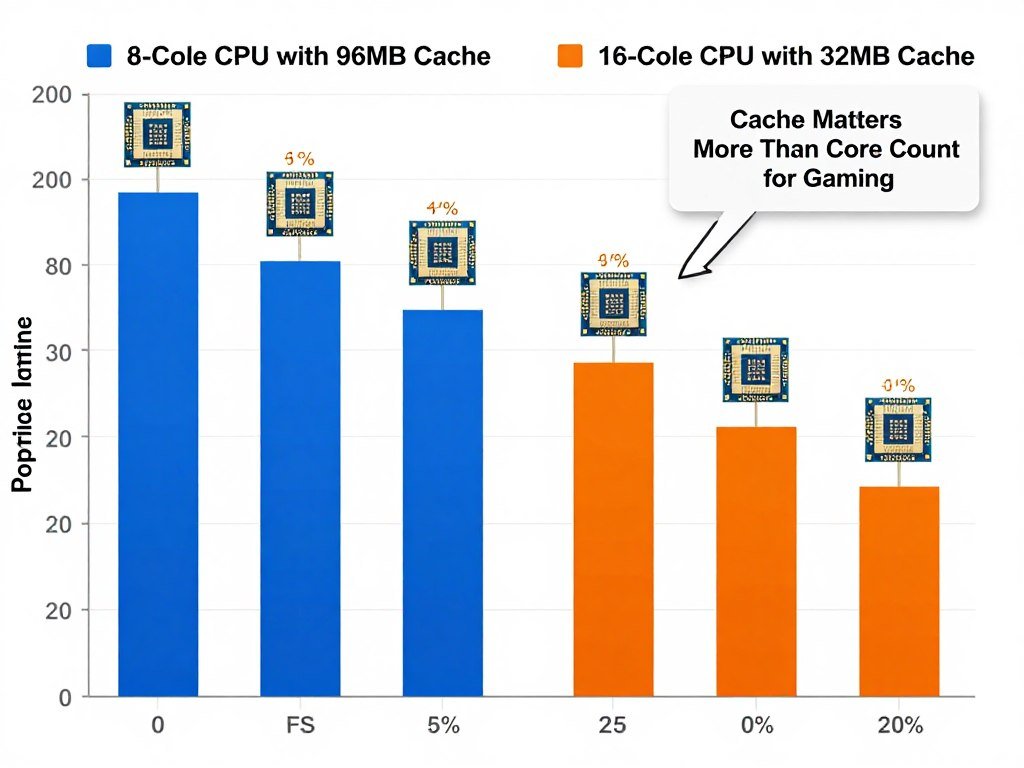
More cores don’t automatically mean better gaming performance. A 16-core CPU with small cache can lose to an 8-core CPU with large cache in most games. Games rarely use more than 8-12 threads effectively. Buying a Ryzen 9 7950X for gaming when you could get a 7800X3D wastes money. The 7950X is faster in productivity, but the 7800X3D wins in games despite half the cores.
Focus on actual gaming benchmarks for the games you play, not core count marketing. A 6-core CPU with good cache can outperform a 12-core CPU with poor cache in gaming scenarios. Don’t let spec sheets fool you. To understand how core counts really affect gaming, read about CPU core scaling in real-world use.
Mistake 2: Ignoring Platform Costs
CPU price isn’t the only cost. Intel’s platform requires a different motherboard and potentially different RAM than AMD. DDR5 prices have dropped, but quality kits still cost money. When comparing a $300 Intel CPU to a $350 AMD X3D, factor in the total platform cost including motherboard and memory.
Sometimes the cheaper CPU ends up costing more once you add motherboard and RAM. Do the math for your complete build, not just the CPU price in isolation. A complete budget build analysis shows how platform costs affect overall value.
Mistake 3: Overestimating Overclocking Benefits
Manual overclocking is mostly dead for gaming. Modern CPUs boost so aggressively that manual overclocking gains are 2-5% at best, often with worse stability and higher power draw. X3D chips don’t overclock at all due to thermal limits. If you’re buying a K-series Intel or X-series AMD specifically for overclocking, you’re wasting money.
PBO and auto-overclocking features work fine and deliver 90% of manual overclocking gains with zero effort. Stop chasing the overclocking dragon unless you’re doing it for fun, not performance. The real-world benefit is negligible in 2026.
Mistake 4: Mismatching CPU and GPU
Pairing a $400 CPU with a $200 GPU makes no sense for gaming. Your GPU will bottleneck hard, and the expensive CPU sits idle. Conversely, pairing a budget CPU with a top-tier GPU can work at 4K but will bottleneck at 1080p. Match your components to your resolution and game types.
Use a PC bottleneck calculator before buying to see if your planned pairing makes sense. A balanced system performs better than an unbalanced one with a single expensive component. Understanding the fundamental concept of bottlenecks helps avoid these mismatches.
Biggest Red Flag: Buying Based on Benchmarks You’ll Never Experience
Reviewers test CPUs at 1080p low settings with an RTX 4090 to isolate CPU performance. That’s not how you’ll use your PC. If you game at 1440p or 4K with a mid-range GPU, those benchmark results don’t apply to you. Find benchmarks that match YOUR resolution, YOUR GPU, and YOUR games. Otherwise, you’re making decisions based on irrelevant data.
The Bottom Line: Is Cache Worth the Hype?
After testing dozens of CPUs and building hundreds of systems, here’s my honest take: CPU cache latency and 3D V-Cache specifically are the most important gaming CPU developments in the past five years. This isn’t hype. The performance gains are real, measurable, and noticeable in actual gameplay.
But the gains are conditional. If you play the right games at the right resolutions, X3D chips are transformative. If you play esports titles at 4K, you won’t notice a difference. Understanding your specific use case is critical. Don’t buy based on what reviewers say is “best.” Buy based on what’s best for YOUR gaming habits and YOUR budget.
Does cache latency matter more than cache size?
Both matter, but size usually wins in gaming scenarios. A larger cache with slightly higher latency still outperforms a smaller cache with lower latency because the larger cache delivers higher hit rates. More cache hits mean fewer expensive trips to system RAM, which more than compensates for a few extra cycles of access latency.
Will 3D V-Cache help with stuttering in games?
Yes, significantly in cache-sensitive games. Stuttering often occurs when the CPU has to wait for data from slow system RAM. Larger cache keeps more data close, reducing these wait times. The improvement shows up most clearly in minimum FPS and frame time consistency, which directly affects perceived smoothness.
Should I wait for next-gen CPUs with better cache?
Only if you can actually wait 6-12 months for new releases. The 7800X3D is available now and will remain competitive for years. Next-gen chips will be faster, but not by huge margins. If you need a CPU now, buy now. If you can genuinely wait, then wait. But don’t delay a build indefinitely chasing the next release.
Can I upgrade just the CPU to get 3D V-Cache benefits?
Depends on your current platform. If you’re on AM5 already, upgrading to a 7800X3D is a drop-in replacement. If you’re on older platforms (AM4, Intel 10th-12th gen), you’ll need a new motherboard and possibly new RAM. Factor in total platform cost when considering the upgrade path. Sometimes a complete platform upgrade makes more sense than piecemeal changes.
How much does RAM speed affect cache performance?
Fast RAM reduces the penalty when you miss cache. On AMD, Infinity Fabric speed ties to memory speed, affecting internal cache latency. The sweet spot is DDR5-6000 for AM5. Going faster helps slightly but with diminishing returns. Slow RAM (DDR5-4800) can cost you 5-10% performance in cache-heavy games compared to properly tuned DDR5-6000.
Build It Right the First Time
Stop guessing about CPU and GPU compatibility. Our bottleneck calculator analyzes your specific build and shows you exactly where performance is limited. Whether you’re planning a new build or considering an upgrade, get data-driven recommendations in seconds.
Final Verdict: Cache Is King for Gaming
AMD’s 3D V-Cache is the real deal. The technology works, the performance gains are measurable, and for the right use cases, it’s worth every penny of the premium. If you’re a serious PC gamer who plays modern AAA titles, the 7800X3D should be at the top of your list.
For everyone else, make your decision based on actual data for your specific scenario. Use the gaming performance guides to understand how cache affects your favorite games. Test configurations with the hardware bottleneck test before spending money. Buy smart, not based on hype.
Wrapping This Up
Cache latency isn’t sexy tech. It doesn’t have RGB. You can’t overclock it. But it’s the silent performance multiplier that separates good gaming CPUs from great ones. Understanding how cache works, why 3D V-Cache matters, and when it’s worth paying for gives you a massive advantage when building or upgrading your PC.
I’ve wasted money on CPUs that looked good on paper but underperformed in real use. I’ve also experienced the difference that proper cache sizing makes in modern games. The smoothness you get from a well-cached CPU isn’t something benchmarks fully capture. You feel it in gameplay, in the lack of stutters, in the way demanding scenes just work instead of hitching.
If you take one thing from this guide, make it this: match your CPU choice to your actual gaming habits. Don’t buy for synthetic benchmarks. Don’t buy based on core count or clock speed alone. Look at cache capacity, check real-world gaming benchmarks for your titles, and factor in your resolution and GPU. That’s how you build a system that performs where it counts.
Cache matters. 3D V-Cache is genuinely game-changing for the right workloads. Make your decision with data, not marketing, and your next PC will deliver exactly the performance you paid for.