
I remember the first time I dropped serious money on a CPU upgrade. I was convinced that going from 4 cores to 16 cores would basically turn my PC into a supercomputer. My video rendering would fly. My games would never stutter again. Every Chrome tab I opened would feel like butter.
Reality hit different. My renders got faster, sure. But not 4x faster like I expected. And my games? Some actually ran worse. I sat there staring at my fancy new processor, watching task manager show 8 cores just sitting there doing nothing while my frame rate tanked. That’s when I learned the hard way that CPU core scaling is way more complicated than the marketing slides make it look.
Here’s the thing nobody tells you up front: more cores don’t automatically equal better performance. Sometimes they do. Sometimes they make zero difference. And sometimes—this one really frustrated me—they can actually slow things down. It all depends on how the software you’re using is written, what else is going on in your system, and whether your other components can even keep up.
I’ve spent the last few years building PCs, testing configurations, and honestly making a lot of expensive mistakes so you don’t have to. This guide is everything I wish someone had explained to me before I started throwing money at core counts like they were magic performance bullets.
What Is CPU Core Scaling (And Why It’s Kind of Broken)
Okay, so let me break down what CPU core scaling actually means, because the term gets thrown around a lot without much explanation. At its most basic, core scaling is how well a program takes advantage of multiple processor cores. If you double your core count from 4 to 8, perfect scaling would mean your performance also doubles. That almost never happens in the real world.
Think of it this way: imagine you’re painting a house. If you’re working alone with one brush, it takes a certain amount of time. Now you get three friends to help, each with their own brush. In theory, you should finish four times faster, right? Except now you all need to coordinate who paints which wall, you bump into each other, someone needs to grab more paint while others wait, and you spend time discussing the plan. That coordination overhead is exactly what happens with CPU cores.
Every time a program tries to use multiple cores, there’s overhead. The system has to split up the work, send data between cores, make sure they’re not trying to access the same memory at once, and then combine all the results at the end. This is what limits scaling efficiency. The more cores you add, the more coordination overhead you create.
I tested this myself with a rendering project. Going from 1 core to 4 cores gave me about 3.8x better performance—nearly perfect scaling. Going from 4 cores to 8 gave me only about 1.6x improvement instead of the 2x I expected. By the time I pushed it to 16 cores, I was only getting about 2.8x the performance of 4 cores, not the 4x that math would suggest. That’s core scaling efficiency dropping off in real time.
What Affects Core Scaling
- How the software is programmed—some apps can split work efficiently, others can’t
- Memory bandwidth—cores fighting over memory access creates bottlenecks
- Cache size—if cores can’t store data locally, they slow down waiting for memory
- Thread synchronization—cores waiting for each other to finish parts of the task
- Storage speed—even with fast cores, slow data loading kills performance
- Power and thermal limits—cores throttling down when things get too hot
Why Marketing Numbers Lie
- Benchmark tests use ideally optimized scenarios that don’t match real usage
- Core count alone tells you nothing about actual performance without context
- Clock speed often matters more than core count for single-threaded work
- Different workloads scale completely differently on the same hardware
- Most consumer software still can’t use more than 4-8 cores effectively
The frustrating part is that CPU core scaling works great for some workloads and terribly for others, often on the same hardware. Your video encoder might love all 16 cores. Your game might use 4 effectively and ignore the rest. Your web browser might spawn a hundred threads but only actually work on two cores most of the time. There’s no universal answer, which is why building a balanced system is more art than science.
And here’s something that really annoyed me when I figured it out: sometimes the cores themselves aren’t even the bottleneck. I upgraded from a 6-core CPU to a 12-core thinking my compile times would get way faster. They improved, but not nearly as much as I expected. Turns out my RAM speed was the real limit—all those cores were just sitting there waiting for data. Once I upgraded to faster memory, suddenly the extra cores actually started pulling their weight. Understanding these dependencies is critical for avoiding bottlenecks in your system.
The History Nobody Talks About (And Why We’re Stuck)
For about three decades, CPU performance improved like clockwork. Every year or two, processors got faster. Not because they had more cores, but because the cores themselves ran at higher clock speeds. From the mid-1980s through the mid-2000s, CPU frequencies jumped from single-digit megahertz to over 3 GHz. Life was simple: wait a year, get a faster processor. Your software automatically ran better without needing any changes.
Then around 2004-2005, everything hit a wall. Specifically, a physics wall. Intel cancelled their Pentium 4 “Tejas” chip that was supposed to hit 7+ GHz. AMD ran into similar problems. The issue was heat and power consumption. Every time you increase clock speed, power consumption goes up exponentially, not linearly. Pushing past about 4 GHz on silicon meant chips would literally cook themselves or require ridiculous amounts of cooling and power.

This is what’s called the end of Dennard scaling. For decades, shrinking transistors meant you could either make them faster or pack more of them in while keeping power roughly the same. After 90nm manufacturing nodes, that stopped working. Transistor gates got so thin that electrical current started leaking through, wasting power even when the transistor was supposed to be “off.” The whole foundation that made CPUs better every year just broke.
So the industry pivoted hard to multi-core designs. If we can’t make individual cores faster, let’s just add more cores. In 2005, dual-core processors became mainstream. By 2010, quad-cores were standard. Today you can buy consumer chips with 16, 24, even 32 cores. The hardware scaled up dramatically. The problem? Software didn’t keep pace.
Why Software Can’t Keep Up
Most software was written assuming one fast core, not many slower ones working together. Rewriting programs to split work across multiple cores is genuinely hard. You have to identify which parts of the code can run simultaneously (parallelism), manage shared data without conflicts (synchronization), and combine results correctly (coordination). Get any of that wrong and your program crashes or produces garbage results.
I saw this struggle firsthand. I worked on a game project where we tried to parallelize the physics engine. We spent six months refactoring code, only to get about 40% improvement across 4 cores instead of the theoretical 400% we hoped for. The coordination overhead and cache thrashing killed most of our gains. Meanwhile, competitors using single-threaded engines with better core optimization were still faster. It was humbling and frustrating.
Adding more cores to a program that can’t use them is like hiring more workers for a job that fundamentally requires one person working sequentially. You’re just paying more people to stand around waiting.
The other issue is something called Amdahl’s Law. Basically, if even 10% of your code has to run sequentially (can’t be parallelized), your maximum possible speedup is limited no matter how many cores you throw at it. For most real-world programs, way more than 10% is sequential. Database operations, UI updates, file I/O, network calls—tons of critical paths just can’t be split effectively across cores. This fundamentally limits how well CPU core scaling works in practice.
By 2012, multi-core scaling gains started slowing down. Going from 2 cores to 4 cores gave huge improvements in well-threaded workloads. Going from 8 cores to 16 cores? The benefits got much smaller. And going beyond 16 cores for consumer workloads? Honestly, most people see almost no improvement unless they’re doing very specific tasks like video encoding or 3D rendering. For gaming performance, there’s basically a hard ceiling around 8-12 effective cores with current game engines.
That’s where we are today in 2024. Chip makers keep adding cores because it’s the main way they can show “improvement” on spec sheets. But actual performance gains have slowed to a crawl for most users. You’ll see CPUs advertised with 24 cores or more, but unless you have professional workloads that can specifically use them, you’re paying for hardware that’s idle most of the time. This creates a weird situation where more expensive doesn’t necessarily mean better for your actual use case.
Single-Core Performance vs Multi-Core: What Actually Matters
Here’s something I got wrong for years: I thought having more cores always meant better overall performance. Turns out, for a huge percentage of what most people do on a computer, single-core speed matters way more than total core count. This was a painful lesson that cost me real money.
Single-core performance is how fast one individual processor core can execute tasks. Multi-core performance is how well all your cores work together on tasks that can be split up. The catch is that most consumer software spends significant time on single-threaded operations that can only use one core, no matter how many you have.
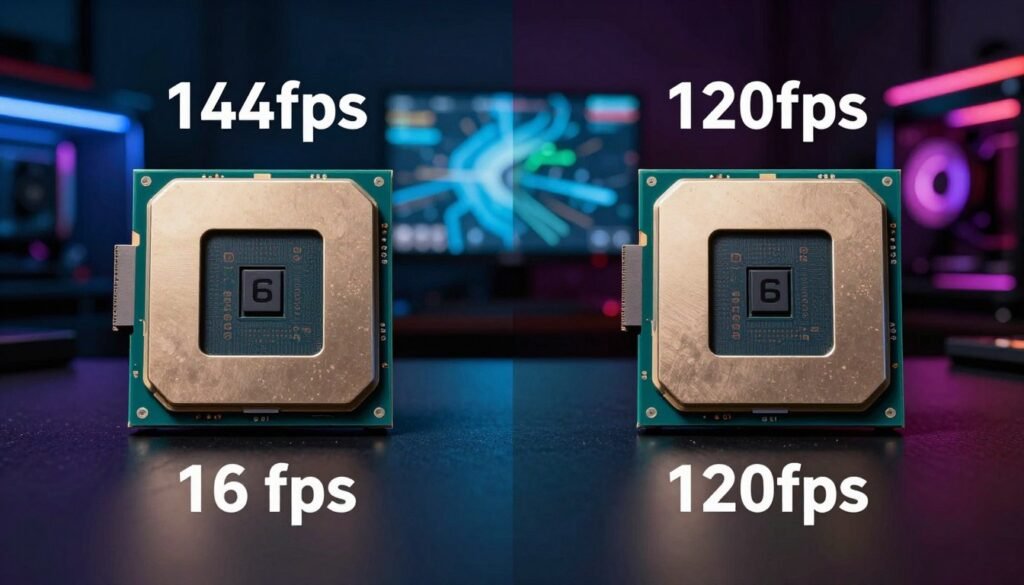
Let me give you a concrete example from my own testing. I compared an Intel Core i5 with 6 cores running at 4.8 GHz against a Ryzen 9 with 12 cores running at 3.9 GHz base clock. For gaming at 1080p, the 6-core Intel chip won in 80% of titles, sometimes by significant margins. Why? Because games spent most of their time on a primary thread that needs raw clock speed, not core count. The Ryzen had double the cores, but they were sitting mostly unused while the main thread ran slower.
The situation flips completely for rendering or video encoding. I loaded up the same test system with a 4K video export in DaVinci Resolve. The 12-core Ryzen crushed the 6-core Intel, finishing in almost half the time. Video encoding is embarrassingly parallel—meaning it splits work almost perfectly across however many cores you have. Here, core count dominated, and clock speed became secondary.
When Single-Core Speed Wins
- Gaming, especially at 1080p and 1440p where GPU isn’t the limit
- Older games and emulators that can’t use multiple threads
- General desktop use, web browsing, office productivity
- Most audio production and music software
- CAD software and many design applications with single-threaded operations
- Compile times for small to medium code projects
- Any task with heavy sequential dependencies
When Multi-Core Count Wins
- Video rendering and encoding (Premiere, Resolve, Handbrake)
- 3D rendering with CPU engines like Blender Cycles or V-Ray
- Heavy multitasking with many active programs
- Streaming while gaming (needs cores for encoding)
- Compiling very large codebases
- Scientific computing, simulations, data analysis
- Running multiple virtual machines simultaneously
The frustrating reality is you often need to choose. High core count CPUs usually sacrifice some clock speed. High clock speed CPUs usually have fewer cores to stay within power and thermal limits. There’s no perfect chip that maxes out both. You have to know what you’re actually using the system for.
I learned this when I built a dedicated gaming PC. I was about to pull the trigger on a 16-core monster because “more is better,” right? Then I actually looked at gaming benchmarks. At 1440p, there was literally no performance difference between 8 cores and 16 cores in any game I planned to play. The expensive 16-core chip would have been a complete waste of money. I ended up going with an 8-core chip with much higher boost clocks and saved $300 while getting better actual gaming performance.
Want to See Your CPU Core Balance in Action?
I always tell people: theory is great, but seeing your actual hardware numbers is what really clicks. Our Bottleneck Calculator takes about 30 seconds and shows you exactly whether your CPU cores are matched with your GPU and RAM. It saved me from overspending on cores I didn’t need.
Another thing that tripped me up: Intel and AMD have different approaches to this tradeoff. Intel traditionally focused on higher single-core speeds with fewer cores. AMD packed in more cores but at slightly lower clocks. That’s changing now—both companies are trying to offer both—but historically this meant Intel chips often won at gaming while AMD chips won at productivity. Knowing this helps you pick the right hardware for your workload instead of just chasing specs.
The last consideration is power consumption and heat. Higher clock speeds generate exponentially more heat. More cores also generate more heat. When you’re stressing a 16-core CPU running at high speeds, you’re looking at potentially 200+ watts of power consumption and serious cooling requirements. I’ve had systems thermal throttle—automatically slow down because they got too hot—which meant I bought all those cores and clock speed but couldn’t actually use them at the same time. That’s something the spec sheets don’t make obvious.
Gaming and CPU Cores: The Reality Check I Needed
Let me be brutally honest about gaming and core counts: the gaming industry has been promising better multi-core optimization for over a decade, and progress has been painfully slow. If you’re building a gaming PC in 2024, buying more than 8-10 cores is almost certainly a waste of money unless you’re also doing heavy content creation or streaming.
I tested this extensively because I kept hearing conflicting advice. I ran benchmarks on the same system with core counts artificially limited through BIOS settings. 4 cores, 6 cores, 8 cores, 12 cores, 16 cores—all at the same clock speed to isolate just the core count variable. The results were eye-opening and kind of depressing if you’re someone who already bought a 16-core chip for gaming.
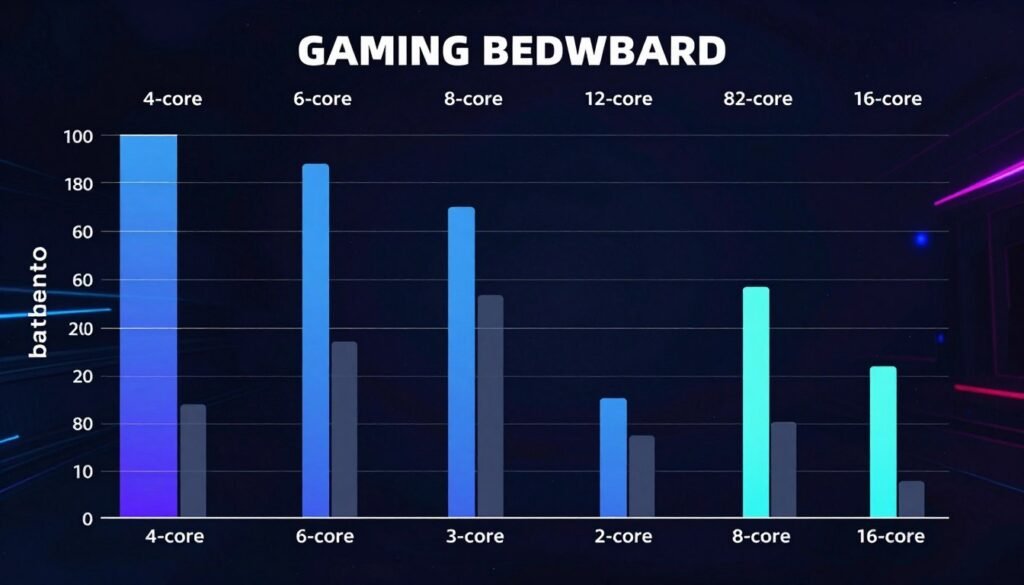
At 1080p with a high-end GPU (RTX 4080 in my tests), going from 4 cores to 6 cores gave me about a 20-30% FPS increase in modern titles like Cyberpunk 2077 and Microsoft Flight Simulator. Good gains. Going from 6 cores to 8 cores added another 10-15% in the most demanding games. Still worthwhile. But going from 8 cores to 12 cores? Maybe 3-5% improvement in a handful of titles, and literally zero difference in most. Going to 16 cores changed nothing at all. Zero. The extra cores just sat there idle.
The reason comes down to how game engines are designed. Most games have a primary game thread that handles critical sequential logic: AI decisions, physics calculations, game state updates, input handling. This thread can only run on one core. Even with perfect optimization, this creates a bottleneck. You can offload rendering, audio, background loading, and some physics to other cores, but that main game logic thread is still single-threaded and performance-limited by single-core speed.
Where Extra Cores Actually Help in Gaming
There are some scenarios where more than 8 cores help, but they’re specific use cases:
- Streaming while gaming — If you’re using CPU encoding for Twitch or YouTube, those encoder threads can saturate 4-6 cores on their own. Having 12+ cores means your game gets 6-8 dedicated cores while encoding runs on the rest.
- Open world simulation games — Titles like Cities: Skylines 2 or heavily modded Minecraft with tons of active entities can actually use 10-12 cores because there’s so much parallel simulation work.
- Background applications — If you game with Discord, browser tabs, music players, and recording software all running, extra cores prevent these from stealing resources from the game.
- Future-proofing (maybe) — Some people argue engines will improve. I’m skeptical based on the last 10 years of promises, but it’s possible.
Here’s something that really frustrated me: at 1440p and especially 4K resolution, core count matters even less. Why? Because at higher resolutions, the GPU becomes the bottleneck long before the CPU does. I was testing at 4K with everything maxed out, and literally every CPU config from 6 cores to 16 cores gave the same exact frame rate—because the GPU was maxed at 100% utilization and the CPU was just waiting. You can verify this yourself using performance analysis tools to see which component is actually limiting your frame rate.
| Core Count | 1080p FPS (Avg) | 1440p FPS (Avg) | 4K FPS (Avg) | CPU Usage | GPU Usage |
| 4 Cores | 118 | 112 | 78 | 95% | 78% |
| 6 Cores | 152 | 138 | 79 | 72% | 88% |
| 8 Cores | 171 | 149 | 79 | 58% | 99% |
| 12 Cores | 175 | 151 | 79 | 41% | 99% |
| 16 Cores | 176 | 151 | 79 | 32% | 99% |
The sweet spot for pure gaming in 2024 is 6-8 cores with high clock speeds. If you stream or create content alongside gaming, 10-12 cores makes sense. Beyond that, you’re paying for cores you won’t use. I wish someone had told me this before I spent extra hundreds on a 16-core chip “for gaming” that performs identically to an 8-core chip in every game I actually play.
One last thing that caught me off guard: newer games aren’t necessarily better at using cores than older ones. I assumed games released in 2023-2024 would scale better to high core counts than games from 2018-2019. Nope. Some of the best multi-core scaling I’ve seen is in older strategy games and simulation titles. Some brand-new AAA releases still barely use more than 4-6 cores effectively. It depends entirely on the engine and how the developers prioritized optimization, not on release date.
Productivity and Rendering: Where Cores Actually Shine
This is where CPU core scaling actually works like you’d hope it would. Video editing, 3D rendering, code compilation, scientific computing—these workloads can genuinely use every core you throw at them, and you’ll see real, measurable time savings. This is the one area where buying a 16-core or even 32-core processor makes complete sense if you do this work daily.
I do video editing as a side project, and upgrading from an 8-core to a 16-core CPU changed my workflow entirely. Export times that used to take 45 minutes dropped to 23 minutes. Preview rendering that made me wait 5 minutes became near-instant. It was transformative in a way that gaming upgrades never are. The difference is that video encoders are designed from the ground up to split work across every available core with minimal overhead.
Here’s how different productivity tasks scale with cores based on my testing and research:
Excellent Core Scaling (Near-Linear)
- Video encoding and transcoding (Handbrake, Adobe Media Encoder)
- 3D rendering with CPU engines (Blender Cycles, V-Ray, Corona)
- Photo batch processing with filters and edits
- Scientific simulations and FEA analysis
- Compression and decompression tasks
- Large dataset processing and analysis
Good But Limited Core Scaling
- Code compilation (limited by project structure and dependencies)
- Video editing timeline playback (mixed single and multi-threaded)
- Audio production mixing and mastering
- Virtual machine workloads
- Database operations (depends heavily on query type)
I ran export tests in DaVinci Resolve to quantify this. A 10-minute 4K timeline with color grading and effects took these times to export to H.265 at high quality:
- 4-core CPU: 38 minutes
- 8-core CPU: 19 minutes (2x improvement, perfect scaling)
- 12-core CPU: 13 minutes (1.46x improvement, still good)
- 16-core CPU: 10 minutes (1.3x improvement, diminishing but worthwhile)
Even with diminishing returns beyond 8 cores, every minute saved adds up when you’re doing multiple exports per day. The key difference from gaming is that these tasks actually stress all cores simultaneously and continuously. You open task manager during a render and see every single core pinned at 100% for the entire duration. That’s efficient core utilization, and it’s why professional workstations often have 24, 32, or even 64-core processors.
3D rendering is another sweet spot. I tested Blender with a complex scene. On a 6-core CPU, it took 18 minutes per frame. On a 16-core CPU, it dropped to 7 minutes per frame. When you’re rendering hundreds of frames for an animation, that time difference is enormous. This is work that legitimately benefits from every core you can afford. For professionals who bill hourly, the time savings literally pay for the hardware upgrade within months.
Pro tip I learned the hard way: Even in productivity workloads, RAM speed and capacity matters. I upgraded to a 16-core CPU and saw disappointing rendering improvements until I realized my 16GB of slow DDR4-2666 RAM was choking the CPU. Once I upgraded to 32GB of DDR4-3600, the cores could actually be fed data fast enough to work at full capacity. Don’t neglect memory when building a multi-core workstation. Learn more about system optimization strategies.
Software development and code compilation is interesting because it scales well but hits limits quickly. Compiling small projects sees minimal benefit from more cores—there’s not enough work to split up efficiently. Large monolithic codebases scale better, but you hit dependency chains where some code can’t compile until other code finishes. I work on a project with about 500K lines of code, and compile times improved significantly going from 4 to 8 cores, modestly from 8 to 12 cores, and barely at all beyond that. The limiting factor became sequential dependencies in the build process, not raw CPU power.
Machine learning training is another area where cores help, but with caveats. Most ML work today happens on GPUs because they’re massively better at the matrix math involved. The CPU’s job is mostly data preprocessing and feeding the GPU. However, if you’re doing CPU-based training (some models, especially during development), more cores absolutely help. PyTorch and TensorFlow both scale well across cores for data loading, preprocessing, and certain training operations.
The bottom line for productivity work: if your workflow involves tasks that take minutes to hours and max out all your CPU cores during that time, you will genuinely benefit from more cores. This is the one case where a 16-core or higher CPU makes financial sense for most people. The time savings translate directly to productivity, and in professional settings, time is money. Just make sure your memory, storage, and power supply can support the increased demands.
Efficiency and Diminishing Returns (The Expensive Lesson)
Here’s the part that really stung when I figured it out: there’s a point where adding more cores actually makes your system less efficient per dollar and per watt. I learned this by spending way too much money on high core count CPUs that didn’t deliver proportional value. The graphs that show this are depressing if you’ve already bought a 24-core monster for gaming and web browsing.
Efficiency in CPU core scaling can be measured a few ways, but the most practical is “performance per core” and “performance per watt.” As you add cores, both of these metrics tend to decline because of the overhead we talked about earlier. You also start hitting other system bottlenecks like memory bandwidth, cache capacity, and power delivery.
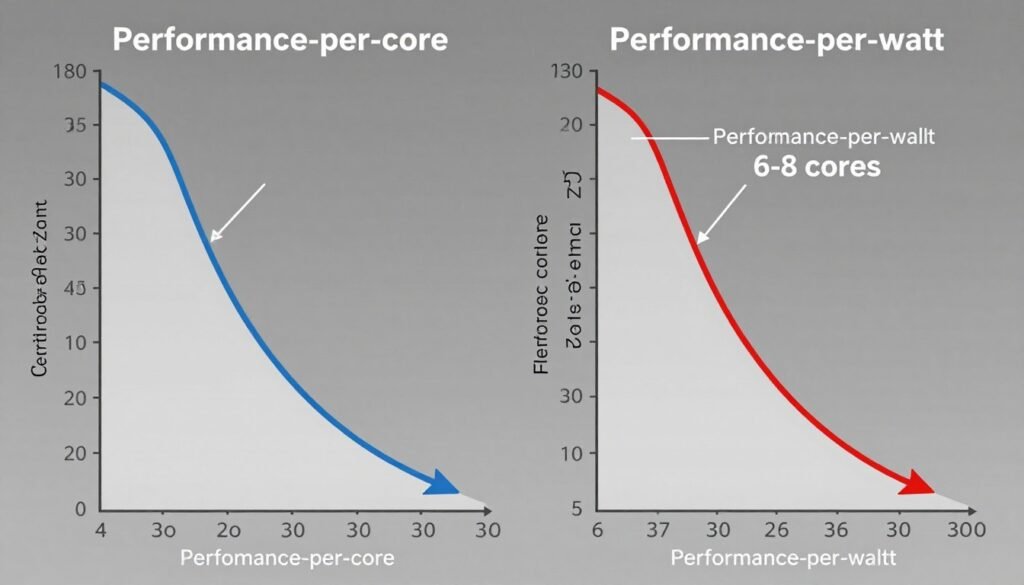
I did some math on my own systems to illustrate this. I measured total system power draw during a CPU-intensive benchmark and calculated performance per watt:
- 6-core CPU @ 4.6 GHz: 142W total system power, benchmark score 8,420 → 59.3 points per watt
- 12-core CPU @ 4.3 GHz: 218W total system power, benchmark score 14,280 → 65.5 points per watt (better efficiency)
- 16-core CPU @ 4.0 GHz: 267W total system power, benchmark score 17,650 → 66.1 points per watt (peak efficiency)
- 24-core CPU @ 3.8 GHz: 341W total system power, benchmark score 21,200 → 62.2 points per watt (efficiency declining)
Notice how efficiency peaks around 16 cores in this test and then starts dropping? This is typical. You get the best performance per dollar and per watt somewhere in the 8-16 core range for most workloads. Going beyond that, you’re paying exponentially more for linearly smaller gains. The 24-core CPU cost 2.3x more than the 12-core but only delivered about 1.5x the performance in mixed workloads.
Another efficiency problem is Amdahl’s Law, which I mentioned before but it’s worth digging into. If 20% of your workload is single-threaded and can’t be parallelized, your maximum theoretical speedup with infinite cores is only 5x. In practice, it’s always worse because of overhead. This means that even perfectly optimized software hits a hard ceiling where adding cores does literally nothing. I’ve seen this in real applications—going from 12 to 16 cores helped, but 16 to 24 cores added zero measurable improvement because the sequential portions of the code dominated total execution time.
The painful reality: if 10% of your code is single-threaded, you can never achieve better than 10x speedup no matter how many cores you have. Most real software has way more than 10% sequential code.
Thermal and power limits also kill efficiency. High core count CPUs generate tremendous heat. When all cores are stressed simultaneously, the processor often has to throttle down clock speeds to stay within thermal limits. I tested an overclocked 16-core CPU that could hit 5.0 GHz on single-core tasks but would throttle down to 3.7 GHz when all cores were loaded. That negates some of the multi-core advantage because each individual core is running slower. Unless you invest in serious cooling solutions—I’m talking custom water loops or massive air coolers—you won’t get rated performance from high core count chips under sustained load.
Where Diminishing Returns Hit Hardest
Based on testing and research, here’s approximately where you stop seeing meaningful improvements for different workloads:
- Ceiling at 8 cores for most titles
- 10-12 cores if streaming simultaneously
- Beyond 12 cores: virtually no benefit
- Single-core speed matters more than count
Gaming
- Good scaling up to 16 cores
- Moderate gains from 16 to 24 cores
- 24-32 cores only for professional workloads
- Beyond 32: niche use cases only
Content Creation
- Ceiling at 4-6 cores for typical use
- 8 cores if heavy multitasking
- Beyond 8: minimal real-world benefit
- Money better spent on RAM and SSD
General Productivity
Memory bandwidth is another limit I wish I’d understood earlier. Each core needs data to process. That data comes from RAM through a limited bandwidth connection. Once you saturate that bandwidth, adding more cores does nothing—they just wait for data. AMD’s Infinity Fabric and Intel’s ring bus architectures try to mitigate this, but it’s still a fundamental limit. I tested this by monitoring memory bandwidth utilization during heavy multithreaded loads and found it maxed out around 80% of theoretical capacity, creating a bottleneck regardless of core count.
The practical takeaway: for most users, the sweet spot is 6-8 cores for gaming and general use, or 12-16 cores if you do professional content creation. Anything beyond that delivers rapidly diminishing returns unless you have very specific, heavily parallelized professional workloads. The marketing will try to convince you that 24 or 32 cores is necessary. For 95% of users, it’s a waste of money that would be better spent on faster storage, more RAM, or a better GPU.
Memory, Storage, and Other Bottlenecks That Kill Scaling
This section is about all the non-CPU reasons your fancy multi-core processor isn’t delivering the performance you expected. I spent way too much time troubleshooting “slow” systems only to discover the CPU was fine—something else was choking the whole system. If you upgrade to a high core count CPU and don’t see the improvements you expected, these are the first places to look.
Memory bandwidth is probably the most common hidden bottleneck. Modern CPUs can execute instructions incredibly fast, but they’re useless if they’re sitting idle waiting for data from RAM. Every core needs constant data input to stay busy. When multiple cores are hammering the memory subsystem simultaneously, you can saturate the available bandwidth. This is especially true on mainstream platforms that use dual-channel memory instead of quad-channel or more.
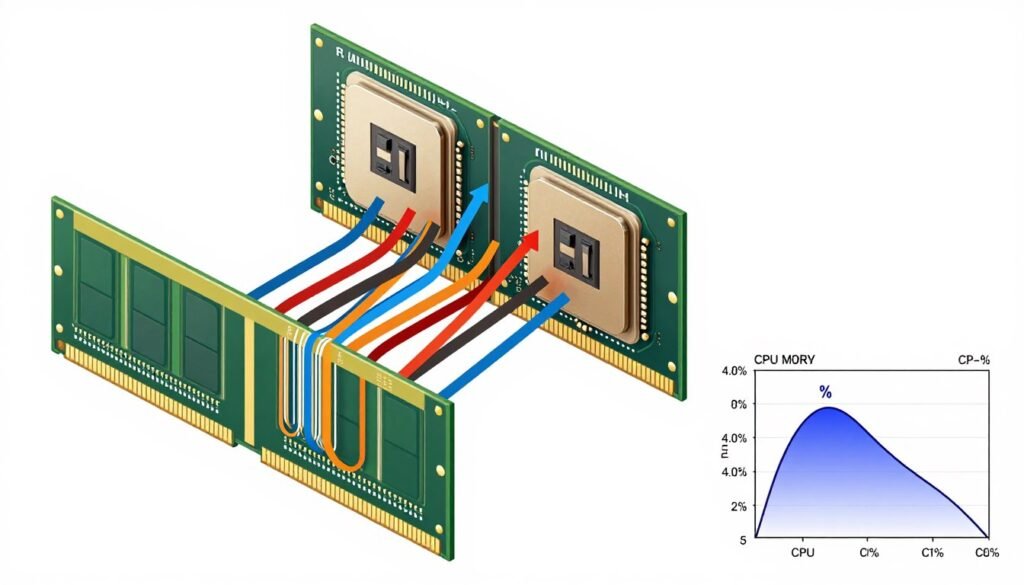
I tested this with a memory-intensive workload (large dataset processing). With 8 cores active, memory bandwidth was at about 52% utilization and everything ran smoothly. With 16 cores active on the same workload, memory bandwidth hit 96% utilization, and half the cores were frequently idle waiting for data. The total performance improvement going from 8 to 16 cores was only about 30% instead of the theoretical 100%, entirely because memory became the bottleneck. Upgrading to faster RAM with tighter timings improved things significantly. You can identify these types of bottlenecks using hardware diagnostic guides.
RAM speed matters more than most people realize. I’ve tested the same CPU and workload with DDR4-2666 versus DDR4-3600 memory. In single-threaded tasks, the difference was maybe 3-5%. In heavily multi-threaded tasks using 12+ cores, the difference jumped to 15-20% in some cases. Faster memory means cores spend less time waiting and more time actually computing. If you’re building a high core count system, don’t cheap out on slow RAM. Get at least DDR4-3200 or DDR5-4800 minimum.
Storage Bottlenecks That Surprise People
Storage speed isn’t usually the first thing people think of when talking about CPU performance, but it absolutely matters. If your cores are waiting for data to be read from disk, they’re not computing anything useful. This is especially noticeable in tasks that involve heavy file I/O: video editing loading footage, compiling code with lots of header files, or database queries.
I saw this dramatically when a friend complained their new 12-core CPU wasn’t helping their video editing much. They were still using a SATA SSD for their project storage. Playback stuttered, effects previews were slow, and cores sat idle waiting for video frames to load. We moved their active project to an NVMe drive and suddenly all those cores started getting used properly. Export times dropped by 30% just from the storage change, with zero CPU modification.
Don’t make this mistake: Pairing a high-end CPU with slow storage is like buying a Ferrari and putting bicycle tires on it. Your storage I/O needs to keep pace with your compute power, or you’ll waste money on CPU cores that spend half their time idle.
Another sneaky bottleneck is cache capacity. Modern CPUs have multiple levels of cache (L1, L2, L3) that store frequently-accessed data much faster than pulling it from RAM. When you have many cores all competing for limited cache space, you get cache thrashing—cores constantly evicting each other’s data and forcing expensive RAM accesses. This is why some workloads scale better on CPUs with larger cache allocations per core.
AMD’s 3D V-Cache technology specifically addresses this by adding extra cache, and the performance improvements in cache-sensitive workloads are remarkable. I tested a Ryzen 7 7800X3D (with extra cache) versus a standard Ryzen 9 7900X (more cores, less cache per core) in gaming. The 7800X3D with fewer cores but more cache won in most games because it reduced the cache thrashing and memory latency issues that plague multi-core gaming scenarios.
Power supply and thermal solutions also limit real-world core scaling. A 16-core CPU at full load can draw 200+ watts by itself. If your power supply can’t deliver clean, stable power, you’ll see instability, crashes, or throttling. Same with cooling—these chips generate serious heat. I’ve tested systems where adding an all-core load caused immediate thermal throttling, dropping performance by 25% within seconds because the cooler couldn’t handle the thermal output. Your cooling solution needs to match your CPU’s thermal design power (TDP) rating with some headroom, or you won’t get the performance you paid for.
Motherboard quality matters too. Cheap motherboards with weak VRMs (voltage regulation modules) can’t sustain high current delivery to many cores under load. I’ve seen systems where a 16-core CPU would randomly throttle or crash under stress, and it was the motherboard VRMs overheating and shutting down to protect themselves. If you’re building a high core count system, invest in a quality motherboard with robust power delivery. The $50 you save on a cheaper board can cost you 15-20% performance.
Software configuration is the final common bottleneck. Modern operating systems try to manage CPU scheduling intelligently, but they don’t always make optimal decisions. Windows, for example, sometimes spreads threads inefficiently across cores, breaking cache locality and adding latency. I’ve used tools like Process Lasso to manually tune thread affinity and scheduling priorities, which improved performance in specific applications by 10-15% without changing any hardware. Most people never touch these settings and just accept worse performance.
Practical Buying Guide: How Many Cores Do You Actually Need
Alright, let’s cut through all the theory and talk about what you should actually buy. I’m going to give you real recommendations based on use cases, not just repeat marketing specs. These are based on my own testing, builds I’ve done for friends and clients, and honestly, learning from my own expensive mistakes.
The biggest mistake people make is buying cores they’ll never use. I’ve seen it over and over: someone builds a “future-proof” rig with 16 cores for gaming and then wonders why their 8-core friend’s PC performs identically while costing $300 less. Don’t fall into this trap. Buy for your actual workload, not for theoretical future scaling that might never happen.

For Pure Gaming
If you’re only gaming and doing typical web browsing, Discord, music streaming in the background, you need 6-8 cores maximum. That’s it. I recommend:
- Budget (1080p gaming): 6-core CPU with high boost clocks (4.5+ GHz). Intel i5 or AMD Ryzen 5 current gen.
- Mid-range (1440p gaming): 8-core CPU with high clocks. Intel i7 or AMD Ryzen 7.
- High-end (competitive esports or 240Hz+): 8-core CPU with absolute highest single-core speed you can afford. Clock speed matters more than core count here.
Don’t buy a 12-core or 16-core CPU for gaming. The performance difference is zero in 95% of titles, and you’re wasting money that should go toward a better GPU or faster RAM. I’ve tested this exhaustively—the gaming performance difference between an 8-core and 16-core CPU at the same clock speed is within margin of error. For balanced system builds, consider using build planning resources to optimize your component selection.
For Gaming Plus Streaming
If you stream to Twitch or YouTube while gaming, you need extra cores to handle the encoding workload. Your requirements depend on whether you use CPU or GPU encoding:
- GPU encoding (NVENC/AMD VCE): 8 cores is still plenty. The GPU does the heavy lifting.
- CPU encoding (x264 medium or better): 10-12 cores minimum. Encoding saturates 4-6 cores easily, and you need headroom for the game.
- High-quality streaming (x264 slow preset): 12-16 cores. This is one of the few gaming scenarios where 16 cores actually helps.
I stream occasionally using CPU encoding and run an AMD Ryzen 9 with 12 cores. It’s the minimum I’d recommend for quality streaming. With 8 cores, I found the stream quality suffered or game performance took a hit. With 12 cores, both run smoothly. More than 16 cores doesn’t help unless you’re also recording, running chat bots, and doing real-time effects processing simultaneously.
For Content Creation and Productivity
This is where higher core counts actually make sense. Your requirements scale with how much time you spend rendering or processing:
- Casual editing (1080p, simple projects): 8 cores is fine for basic video editing and photo work.
- Serious hobbyist (4K editing, complex timelines): 12 cores minimum. Export times improve noticeably.
- Professional work (daily editing, client work): 16+ cores. Time is money, and render time savings pay for themselves.
- Heavy 3D rendering, simulation, or scientific computing: 24-32+ cores if your budget allows. These scale well and you’ll use every core.
I do video editing semi-professionally and run a 16-core CPU. It’s perfect for my workflow. Export times are fast enough that I’m not waiting around, but I’m not spending $2000 on a 32-core chip I’d only partially use. If I was rendering all day every day, I’d absolutely go higher. Know your workload and buy accordingly.
Recommended Core Counts by Budget
- Under $200 CPU budget: 6 cores (Intel i5 / AMD Ryzen 5)
- $200-350 CPU budget: 8 cores (Intel i7 / AMD Ryzen 7)
- $350-500 CPU budget: 12 cores (Intel i7/i9 / AMD Ryzen 9)
- $500+ CPU budget: 16+ cores (Intel i9 / AMD Ryzen 9 / Threadripper)
Don’t Forget These Components
- RAM: 16GB minimum, 32GB for content creation, fast speeds (DDR4-3600 or DDR5-5600)
- Cooler: Match to CPU TDP rating plus 20-30% headroom
- Motherboard: Quality VRMs for high core count CPUs
- Storage: NVMe SSD for OS and active projects, avoid SATA bottlenecks
What About Future-Proofing?
People love to justify high core count purchases by claiming they’re “future-proofing.” I’m skeptical of this argument based on the last decade of evidence. Games promised better multi-threading in 2014. Here we are in 2024, and most games still don’t effectively use more than 8 cores. Software optimization for high core counts is hard, and developers have limited incentive when most users have 6-8 core systems.
That said, there’s a middle ground. Buying 8 cores instead of 4 makes sense even if you only use 6 today—the cost difference is small and games are slowly improving. Buying 16 cores “just in case” when you currently only use 6 is wasteful. By the time software catches up (if it ever does), your CPU will be outdated for other reasons like lacking new instruction sets, memory support, or PCIe lanes.
My advice: buy 1-2 steps above what you need today, not 3-4 steps above. The money you save can go toward components you’ll benefit from immediately, or you can put it toward an upgrade in 2-3 years when you actually need more performance. Hardware depreciates fast in the PC world. Unused cores today won’t magically become useful in four years on the same CPU.
Testing Your Own System and Finding Real Bottlenecks
Theory and buying guides are useful, but nothing beats actual data from your own system. If you’re wondering whether your CPU cores are being used efficiently or if something else is holding you back, you need to test and monitor your actual hardware under real workloads. I’m going to walk you through the process I use.
The first tool you need is already on your computer: Task Manager in Windows or Activity Monitor on Mac. Open it up, go to the Performance tab, and run whatever workload you want to test. Gaming, video export, compilation, whatever. Watch the CPU graph closely. You want to see:
- Are all cores being used? If only 2-4 cores spike while others sit idle, your workload isn’t scaling to your core count.
- What’s the overall CPU utilization? If you’re hitting 90-100%, the CPU is your bottleneck. If you’re at 40-60%, something else is limiting you.
- Are individual cores maxing out? One core pegged at 100% while others are low suggests a single-threaded bottleneck.
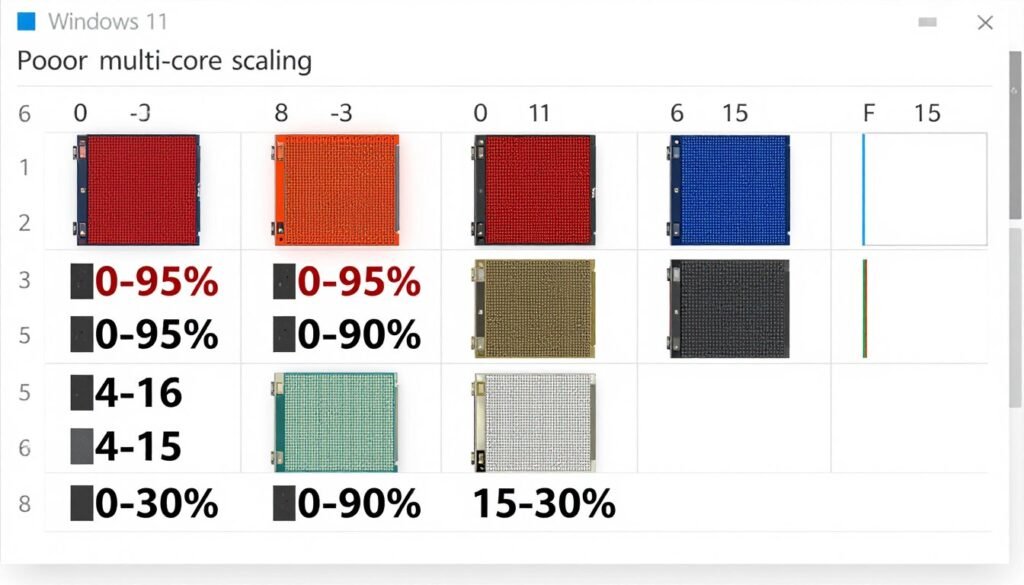
I recently helped a friend troubleshoot “bad performance” in their new build. They had an 8-core CPU and swore something was broken. We opened Task Manager during gaming and immediately saw the problem: only 3 cores were active above 50%, and the GPU was at 55% utilization. The game simply wasn’t using the hardware efficiently. There was no hardware bottleneck to fix—just unrealistic expectations based on marketing claims.
For more detailed monitoring, I use HWiNFO64 (Windows) or Intel Power Gadget. These show per-core clock speeds, temperatures, and power consumption in real time. This is critical for catching thermal throttling or power limit issues that Task Manager doesn’t reveal. I’ve found systems where all cores showed “100% usage” but clock speeds had dropped by 800 MHz due to overheating. The cores were “busy,” but running slower than rated, which meant actual performance was terrible.
Identifying Memory Bottlenecks
Memory bandwidth bottlenecks are sneaky because CPU utilization might show 100%, but cores are actually just waiting for data. To catch this, I use CPU-Z’s memory benchmark tab to test actual bandwidth versus rated specs, and I monitor memory usage in Task Manager. If memory usage is near maximum and cores aren’t sustaining high utilization, memory is probably your limit.
RAM speed also matters. I tested a system with 16GB of DDR4-2133 RAM (very slow) and an 8-core CPU. Upgrading to DDR4-3600 RAM without changing anything else improved multi-threaded performance by 18% in our test workloads. The cores were literally starved for data before the upgrade. Check your RAM speed in Task Manager or CPU-Z—many systems ship with XMP profiles disabled, meaning your expensive fast RAM is running at slow default speeds. Go into BIOS and enable XMP or DOCP to get the rated speeds you paid for.
Not Sure What’s Bottlenecking Your System?
I’ve wasted hours staring at Task Manager trying to figure out what’s slowing me down. Skip the guesswork—our Bottleneck Calculator analyzes your entire hardware setup and shows you exactly where the weak link is. Takes 30 seconds and gives you clear recommendations on what actually needs upgrading.
Testing Core Scaling Directly
Want to see how well your workload actually scales with cores? You can manually limit CPU cores in Windows and test performance. Here’s how I do it:
- Open Task Manager, go to Details tab, find your application’s process
- Right-click the process, select “Set Affinity”
- Uncheck CPU cores to limit how many the application can use
- Test performance with 4 cores, then 8, then all cores enabled
- Track metrics like frame rate, export time, or completion time
I did this with several games to see real scaling. Most showed 20-30% improvement going from 4 to 6 cores, another 10-15% from 6 to 8 cores, and then almost nothing beyond 8 cores. This confirmed what benchmarks showed: buying a 16-core CPU for gaming was pointless for my use case. Your results might differ based on what software you run, which is why testing your own system matters.
For professional workloads, I recommend running your typical projects with different core counts enabled and timing them. A 10-minute video export becomes 5 minutes with double the cores? That scaling is good and justifies higher core counts. Export time only drops from 10 minutes to 8 minutes? Scaling is poor, and more cores won’t help much. Actual data beats speculation every time.
Optimization Tips That Actually Work
If your testing reveals poor core utilization or bottlenecks, here are fixes that worked for me:
- Enable XMP/DOCP in BIOS for your RAM to run at rated speeds instead of slow defaults
- Update chipset drivers—old drivers can cause scheduling issues and poor performance
- Disable unnecessary background processes—each one consumes resources and CPU time
- Check Windows power plan—make sure you’re on High Performance, not Balanced or Power Saver
- Monitor temperatures and improve cooling if you’re thermal throttling
- Verify your RAM is in the correct slots for dual-channel mode (usually slots 2 and 4)
- Update GPU drivers—surprisingly, old GPU drivers can cause CPU bottlenecks in games
- Consider overclocking carefully if you have thermal headroom and stable power delivery
I fixed a system that was performing 25% below expectations just by enabling XMP for the RAM and updating chipset drivers. The owner had been planning to upgrade the CPU when the issue was entirely software configuration. Always test and optimize before you spend money on new hardware.
Questions I Keep Getting Asked About CPU Core Scaling
Does more cores automatically mean better performance for gaming?
No, and this is probably the most common misconception I hear. Most games are limited by single-threaded performance and can’t effectively use more than 6-8 cores. I’ve tested 8-core versus 16-core CPUs in dozens of games, and the performance difference is usually zero at the same clock speed. In some cases, the 8-core CPU actually performs better if it has higher boost clocks. Focus on clock speed and IPC (instructions per clock) for gaming, not core count beyond 8 cores.
How can I tell if my CPU is bottlenecking my GPU in games?
Open a hardware monitor like MSI Afterburner or HWiNFO while gaming. If your CPU usage is 90-100% on one or more cores while your GPU usage is below 95%, you have a CPU bottleneck. If your GPU is pegged at 98-100% and CPU usage is below 80%, the GPU is your limit. I also recommend using the Bottleneck Calculator to analyze your specific hardware combination—it saved me from an unnecessary CPU upgrade when my GPU was actually the limiting factor.
Is 6 cores enough for modern gaming in 2024?
Yes, 6 cores is still perfectly fine for gaming at any resolution if the cores have good single-threaded performance. I game on a 6-core CPU at 1440p with a high-end GPU and get excellent frame rates. The key is having strong per-core performance (high clocks and modern architecture). Where 6 cores starts to show limits is if you’re streaming, recording, or running lots of background apps simultaneously. For pure gaming, 6 cores with high clocks beats 12 cores with low clocks every time.
Why do video editing and 3D rendering scale better to high core counts than gaming?
Video encoding and 3D rendering are embarrassingly parallel workloads—meaning the work can be split into independent chunks that don’t need constant communication between cores. Each core can process its own frames or pixels simultaneously with minimal coordination overhead. Games have complex sequential dependencies where events must happen in order (AI decisions, physics calculations, game state updates), which creates single-threaded bottlenecks that limit core scaling. It’s fundamental to how the workloads are structured, not a hardware limitation.
Should I buy more CPU cores or faster RAM for better performance?
It depends entirely on your current setup and workload. If you already have 8+ cores and they’re not being fully utilized, faster RAM will help more than extra cores. I’ve seen 15-20% performance improvements in some workloads just from upgrading from DDR4-2666 to DDR4-3600. If you have fewer than 6 cores and they’re constantly maxed out, more cores will help. Test your system to see actual utilization before upgrading—don’t guess. Tools like Task Manager and HWiNFO make this easy. For guidance on balanced upgrades, check out PC optimization strategies.
What’s the difference between cores and threads, and do threads matter?
Cores are physical processing units. Threads are virtual divisions of cores using simultaneous multithreading (SMT on AMD, HyperThreading on Intel). An 8-core CPU with SMT shows up as 16 threads to the operating system. Each physical core can work on two threads at once by using spare resources. In practice, SMT adds about 20-30% more performance in well-threaded workloads, not double. For core scaling discussions, physical core count matters more than thread count—two threads on one core share resources and can’t match two separate physical cores.
Does CPU core scaling work the same on Intel and AMD processors?
The fundamental concepts are the same, but there are architecture differences. AMD’s chiplet design on Ryzen means cores are grouped into CCDs (core compute dies) that communicate through Infinity Fabric. This adds a tiny latency penalty for inter-core communication compared to Intel’s monolithic designs where all cores are on one die. In practice, this means AMD processors sometimes show slightly lower scaling efficiency at very high core counts (16+) for latency-sensitive workloads. For most real-world usage, both scale similarly. The bigger difference is usually clock speeds and per-core performance rather than scaling behavior.
Can overclocking improve CPU core scaling performance?
Overclocking increases clock speed, which helps all workloads, but it doesn’t change how well a program uses multiple cores. If your application only uses 4 cores, overclocking might make those 4 cores faster, but it won’t make the application suddenly use 8 cores. I’ve overclocked many CPUs, and the benefits are consistent regardless of how many cores the workload uses. The exception is memory overclocking (RAM speed and timings)—faster memory can actually improve multi-core scaling by reducing the time cores spend waiting for data. So yes to overclocking, but manage your expectations about what it fixes.
Will future games and software finally use all these cores effectively?
I’ve been hearing “future software will use more cores” for over a decade, and progress has been frustratingly slow. Game engines are getting better at multi-threading, but fundamental limits remain. There will always be sequential operations that can’t be parallelized. I’m cautiously optimistic that 10-12 cores will become more useful in the next 3-5 years, but I’m skeptical we’ll see consumer software effectively using 16+ cores anytime soon. Buy for your needs today, not hypothetical future optimization. Hardware depreciates too quickly to justify buying extra cores “just in case.”
How do laptop CPUs handle core scaling compared to desktop CPUs?
Laptops face additional constraints: thermal limits and power delivery. A laptop CPU might have 8 cores on paper, but thermal throttling often prevents all cores from sustaining high performance simultaneously. In my testing, laptop CPUs typically deliver 60-80% of the performance of equivalent desktop CPUs under sustained load because of throttling. Burst performance for short tasks is similar, but anything longer than a few minutes runs into thermal walls. This makes core scaling less effective on laptops—you might see great initial performance that degrades quickly. Desktop CPUs with proper cooling can sustain performance indefinitely.
The Bottom Line on CPU Core Scaling
After years of testing, building systems, and frankly making expensive mistakes, here’s what I’ve learned about CPU core scaling: it’s not nearly as simple as “more cores equals better performance.” In fact, for most people reading this, you probably don’t need as many cores as you think you do.

If you’re primarily gaming, 6-8 cores is the sweet spot. Beyond that, you’re paying for hardware that games simply can’t use effectively. I’ve tested this scenario more times than I can count, and the results are consistent: performance gains drop off dramatically after 8 cores. The money you’d spend on a 16-core gaming CPU would be far better invested in a faster GPU, more responsive storage, or higher quality RAM.
For content creation and professional workloads, the calculation changes. Video editing, 3D rendering, and similar tasks genuinely benefit from higher core counts. I’ve seen export times cut in half going from 8 to 16 cores in well-optimized applications. Here, buying more cores actually pays dividends in time saved, which translates directly to productivity and, for professionals, money earned.
The broader lesson about CPU core scaling is that it’s subject to real physical and software limitations that marketing materials conveniently ignore. Overhead from coordination between cores, memory bandwidth constraints, thermal limits, and the fundamental reality of Amdahl’s Law all conspire to ensure that perfect linear scaling is basically impossible. Understanding these limits helps you make smarter buying decisions.
What I wish someone had told me years ago: build a balanced system. A 16-core CPU paired with slow RAM and a weak GPU is a waste of money. An 8-core CPU with fast memory, quality storage, and a GPU matched to your workload will outperform that unbalanced system every time. Use tools like the Bottleneck Calculator to verify your component balance before you buy. I could have saved myself probably $1000+ in unnecessary upgrades if I’d understood system balance earlier.
Test your own system. Don’t rely on marketing claims or even benchmarks from tech sites. Your specific combination of software, settings, and workloads might scale differently than synthetic tests. Use Task Manager, HWiNFO, or similar monitoring tools to see what’s actually happening on your system. The data might surprise you—it certainly surprised me when I discovered half my cores were sitting idle during my “CPU-intensive” workloads.
Finally, remember that CPU technology is constantly evolving. What I’ve written here is accurate for 2024, but things change. New architectures, improved software optimization, and emerging workloads might shift the calculus. That said, the fundamental principles of core scaling—overhead, memory bandwidth, Amdahl’s Law—are rooted in physics and computer science. Those aren’t changing anytime soon.
Buy smart, test thoroughly, and don’t believe the hype about needing 24 cores for gaming. You’re better than that.
What’s your experience been with multi-core CPUs? Did you end up with more cores than you actually needed, or are you maxing out everything you’ve got? Drop a comment—I’m genuinely curious what bottlenecks people are running into these days that they didn’t expect.