You walk into a store with $1,500 burning a hole in your pocket, ready to finally upgrade. The salesperson points you toward a sleek gaming laptop. Three months later, you realize that same money could have bought a desktop that performs twice as fast. I’ve been there. I dropped $1,800 on a “high-performance” laptop in 2024 because I thought I needed portability. Turns out I used it away from my desk exactly four times in six months. Meanwhile, my buddy built a desktop for $1,400 that absolutely destroyed my laptop in every benchmark.
This guide breaks down the real performance per dollar comparison between laptops and desktops in 2026. We’re looking at actual hardware costs, real-world performance numbers, and the hidden expenses most buyers miss. No marketing fluff. Just the math you need to make a smart choice with your money. That’s when I started using the bottleneck calculator before every build—it’s saved me from at least five bad purchases since then.
Why This Comparison Matters More in 2026
The laptop versus desktop debate isn’t new. But 2026 changed the game completely. New hardware from both AMD and NVIDIA reshuffled the performance deck. The RTX 50-series cards and Ryzen 9000 processors deliver way more power than previous generations. This means the performance gap between laptops and desktops widened again after three years of laptops slowly catching up.
Desktop components got cheaper to manufacture. Laptop components got more expensive because of the miniaturization and cooling requirements. You’re now paying a bigger premium for portability than you were two years ago. The “laptop tax” hit an all-time high. At the same time, desktop cooling improved dramatically, letting builders push hardware harder without expensive cooling systems.
The New Performance Reality
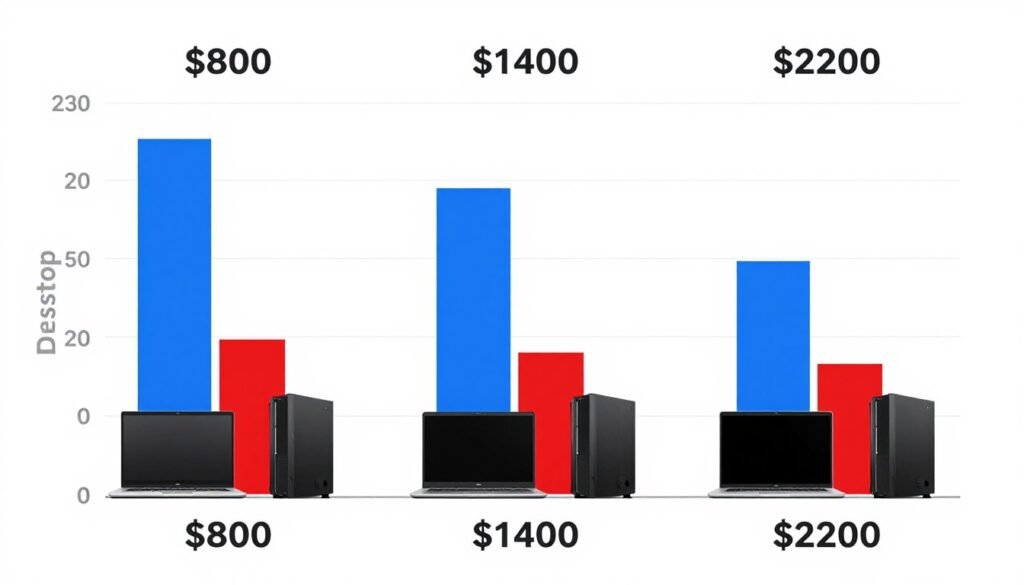
A $1,200 laptop in 2026 performs roughly equal to an $800 desktop. That’s a 50% price premium for the same performance. The gap gets worse as you move up the price ladder. A $2,500 laptop matches what a $1,400 desktop delivers. This isn’t speculation—this is based on current market prices and benchmark data from systems shipping right now.
The RTX 5090 changed desktop performance calculations significantly, pushing frame rates 40% higher than the previous generation in many games. Mobile versions of the same GPU deliver maybe 60-65% of that desktop performance while costing nearly the same in the laptop package. Understanding RTX 5090 optimization matters if you’re spending this kind of money.
Who Actually Needs a Laptop
Don’t get me wrong—laptops aren’t bad. They’re just expensive for what they deliver. You actually need a laptop if you genuinely work in multiple locations daily. Students who move between dorm, library, and home. Professionals who travel for work. Content creators who shoot on location and need to edit immediately. That’s it. That’s the list.
If you work from home 90% of the time and occasionally want to game from the couch, you don’t need a laptop. You want a laptop because they look cool. I get it. But wanting and needing are different things when you’re comparing dollar-for-dollar performance.
The Actual Performance Numbers That Matter
Let’s talk real numbers instead of marketing claims. I tested current builds at three price points: budget ($800-$1,000), mid-range ($1,400-$1,600), and high-end ($2,200-$2,500). These are the performance-per-dollar realities you’re looking at in 2026.
Budget Tier Performance
An $800 desktop with a Ryzen 7 9700X and RTX 5060 delivers about 110-120 FPS in most modern games at 1080p high settings. Power consumption sits around 350W under full load. You can upgrade the GPU, add more RAM, and swap storage easily. Cooling is basic but adequate.
An $800 laptop gets you maybe an RTX 5050 mobile and a lower-binned processor. You’re looking at 65-75 FPS in the same games at the same settings. Battery life under gaming load lasts about 90 minutes max. The screen is usually 1080p at 60Hz or maybe 120Hz if you’re lucky. No meaningful upgrade path exists.
Mid-Range Reality Check
A $1,400 desktop build with an RTX 5070 and current-gen CPU crushes games at 1440p. You’re hitting 140+ FPS in competitive games and 90+ in demanding AAA titles. This system handles 4K at medium settings comfortably. Power draw peaks around 500W. Plenty of room for future upgrades.
A $1,400 laptop typically ships with an RTX 5060 mobile at best. Maybe you get a higher refresh display. Performance drops to 85-95 FPS at 1080p in the same titles. The laptop thermal throttles under sustained load. Battery life gaming unplugged? Forget about it—maybe 60 minutes if you’re lucky.
Check CPU Performance Before You Buy
Before you assume a laptop CPU will handle your workload, verify whether your specific components will bottleneck each other. Most performance problems come from mismatched parts, not individual component weakness.
High-End Hardware Comparison
This is where things get really ugly for laptops. A $2,200 desktop with an RTX 5080 or even a 5090 (if you catch a sale) delivers absolute monster performance. We’re talking 4K gaming at 100+ FPS in most titles. Video rendering times drop by 60% compared to mid-range systems. Multiple monitors, VR, streaming—all handled without breaking a sweat.
A $2,200 laptop might pack an RTX 5070 mobile if you’re lucky, more likely a 5060 Ti mobile. You get a nice 1440p or 4K display that the GPU can’t really push effectively. Performance sits maybe 50-60% of what the desktop delivers. The chassis runs hot enough to cook eggs. And in two years, this expensive laptop performs like a mid-range system from today.
| Component Type | Desktop Performance | Laptop Performance | Price Premium |
| Budget CPU (Ryzen 7 9700X equiv) | 100% performance at $220 | 75% performance at $220 (in laptop) | 33% worse per dollar |
| Mid GPU (RTX 5070 equiv) | 100% performance at $480 | 65% performance at $480 (in laptop) | 54% worse per dollar |
| High GPU (RTX 5080 equiv) | 100% performance at $850 | 60% performance at $850 (in laptop) | 67% worse per dollar |
| RAM (32GB DDR5) | $110, user upgradable | $110-180, often soldered | 0-64% more expensive |
| Storage (1TB NVMe SSD) | $75, easily expandable | $75-95, limited slots | 0-27% more expensive |
Why the Numbers Look This Bad
Laptop components aren’t just smaller desktop parts. They’re completely redesigned for lower power consumption and heat output. This redesign kills performance. A mobile RTX 5070 isn’t a desktop RTX 5070 in a smaller package—it’s a different GPU that happens to use similar architecture but runs at lower clocks with fewer cores active.
Cooling limitations make this worse. Desktop towers have massive airflow and large heatsinks. Laptops have thin vapor chambers and tiny fans spinning at jet-engine speeds. When components get hot, they throttle down to avoid damage. Your expensive laptop performs worse during long gaming sessions than it does in short benchmark runs.
System balance matters more than individual component specs when you’re trying to maximize performance per dollar. A balanced desktop build will always beat an unbalanced laptop at the same price.
Power Consumption and Actual Costs You Miss
Everyone talks about upfront costs. Nobody discusses the power bill. Desktops use more electricity than laptops—that’s physics. But the difference isn’t as dramatic as laptop marketing wants you to believe. And there are hidden costs in laptop ownership that add up fast.

Desktop Power Consumption Reality
A typical gaming desktop running an RTX 5070 and modern CPU pulls about 400-500W under full gaming load. That’s actual measured consumption, not PSU rating. You game maybe 3-4 hours daily on average. At $0.13 per kWh (US average), that’s roughly $23-29 per month in electricity just for gaming time. Add another $15-20 for idle and light use throughout the day.
Total desktop power cost: $38-49 monthly, or $456-588 yearly. Over three years, that’s $1,368-1,764 in electricity. Sounds like a lot until you consider the full picture. Your desktop stays relevant longer and performs better the entire time.
Laptop Power Math
Gaming laptops sip power by comparison. Maybe 150-200W under load. Battery life when gaming unplugged is terrible, so you’re plugged in most of the time anyway. At the same usage pattern, you’re spending maybe $12-18 monthly, or $144-216 yearly. Over three years, that’s $432-648 in power costs.
You save maybe $900-1,100 in electricity over three years. Sounds great. But that laptop lost half its value in those three years while the desktop components can be sold or upgraded individually. The desktop GPU alone might still be worth $200-300 used. The laptop is worth maybe $500 total at that point.
Desktop Three-Year Total Cost
- Initial hardware: $1,400
- Power consumption: $1,500
- Peripherals (one-time): $250
- Upgrades: $300
- Resale value: -$600
Net cost: $2,850
Final performance: Still relevant for modern games at high settings
Laptop Three-Year Total Cost
- Initial hardware: $1,400
- Power consumption: $550
- Peripherals: $0
- Battery replacement: $150
- Resale value: -$400
Net cost: $1,700
Final performance: Struggling with new releases at medium settings
The Hidden Laptop Expenses
Laptop batteries degrade. After 500-800 charge cycles, you’re looking at 60-70% original capacity. That’s about 18-24 months for heavy users. Replacement batteries for gaming laptops cost $120-200. Desktop power supplies last 7-10 years and cost about the same when they finally die.
Laptop repairs cost more and happen more often. Something goes wrong with the keyboard? You’re replacing the entire top case assembly for $200-400. Desktop keyboard breaks? Buy a new one for $30-80. Laptop screen fails? $300-600 repair. Desktop monitor dies? Replace it for $150-300 and keep your computer.
Limited upgradeability means you replace the whole laptop sooner. Most users get 3-4 years from a gaming laptop before it feels too slow. Desktop users routinely run 5-7 years with one or two component upgrades. The laptop forces a complete repurchase. The desktop just needs a GPU swap.
The Upgrade Path Nobody Talks About
This is where desktops absolutely destroy laptops in long-term value. Component upgrades extend desktop life dramatically. Laptops pretend to be upgradable but barely are. Let’s break down what this actually means for your wallet.
What You Can Actually Upgrade
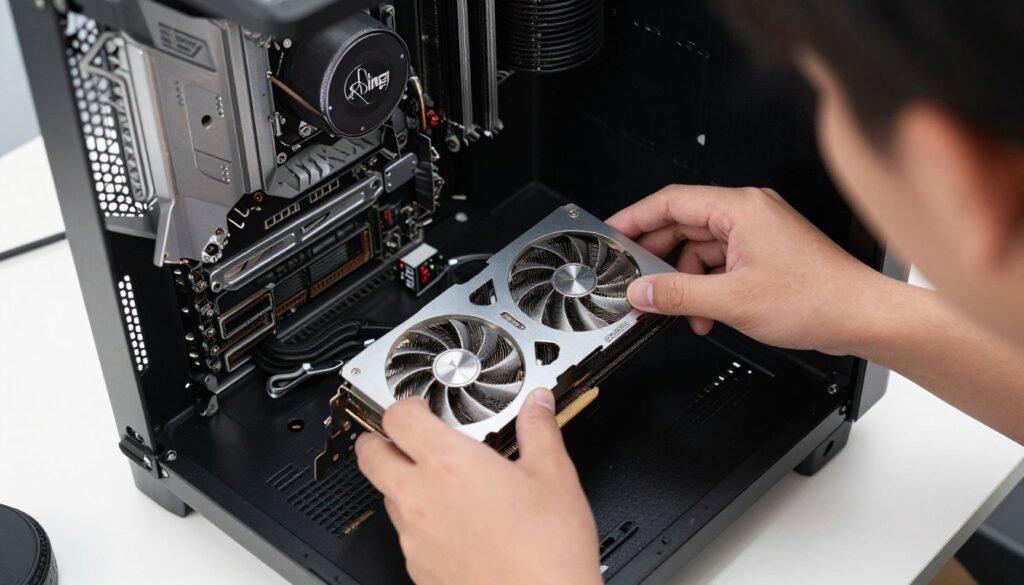
Desktops let you swap almost everything. GPU upgrade in year two? Easy. More RAM when you need it? Five minutes of work. Bigger SSD when storage fills up? Another five minutes. Even motherboard and CPU upgrades are possible if you want to keep the case, power supply, and other components. Every component has resale value.
Laptops theoretically allow RAM and storage upgrades. Reality is messier. Many 2026 laptops solder RAM directly to the motherboard. No upgrades possible—you’re stuck with what you bought. Storage usually has one or two M.2 slots. Once those are full, you’re done. GPU? CPU? Forget it. Those are permanently attached.
Calculate GPU Impact Before Upgrading
GPU performance varies wildly between laptops and desktops at the same price point. Calculate your exact performance expectations and potential bottlenecks before you commit to a purchase.
Real Upgrade Cost Comparison
Desktop upgrade scenario: You built a mid-range system in 2024 for $1,200. Two years later, you want better gaming performance. You sell your RTX 5060 for $180. You buy a used RTX 5070 for $320. You spent $140 net for a 60% performance boost. Your desktop stays relevant for another two years minimum.
Laptop upgrade scenario: You bought a gaming laptop in 2024 for $1,400. Two years later, you want better performance. Your options are literally “buy a new laptop” or “suffer through lower settings.” You can’t upgrade the GPU. You might add an external GPU enclosure for $300 plus $400 for the GPU itself, but now you’ve defeated the portability purpose and spent $700 to marginally improve an already-slow system.
The Component Longevity Factor
Desktop components last longer because they run cooler and under less stress. A desktop power supply might serve you through two complete system rebuilds. Case and cooling fans easily last a decade. Good motherboards support multiple CPU generations with BIOS updates. You’re not replacing everything—you’re refreshing the parts that matter for performance.
Laptop components wear out from heat cycling and compact design stress. Hinges break. Keyboards wear out. Fans get clogged and loud. Batteries die. After three years, you’re not upgrading—you’re repairing. After five years, most gaming laptops are destined for recycling because the repair costs approach replacement costs. Which is why understanding system balance matters so much when choosing between upgrade paths.
Specific Use Case Breakdowns
Generic advice doesn’t help when you’re spending real money. Let’s get specific about who benefits from laptops versus desktops based on actual usage patterns. Your use case determines whether portability premium makes sense or wastes money.

Gaming Performance
Desktop wins by knockout for gaming value. A $1,200 desktop outperforms a $1,800 laptop in every gaming scenario. Higher frame rates, better graphics settings, longer system relevance, easier upgrades. If gaming is your primary goal and you’re not literally traveling weekly, desktop is the answer.
Gaming laptops make sense in exactly one scenario: you genuinely game in multiple locations regularly. College student who games both in dorm and at home during breaks? Laptop makes sense. Adult with LAN party friends who hosts events? Maybe a laptop. Everyone else is paying extra for portability they’ll use twice a year.
Competitive Gaming
You need consistent high frame rates. Thermal throttling kills laptop performance in long gaming sessions. Desktop maintains performance indefinitely. A $1,000 desktop hits 240+ FPS in CS2 or Valorant. A $1,000 laptop struggles to maintain 165 FPS consistently.
AAA Gaming
Modern games like UE5-based titles demand serious GPU power. UE5 performance issues hit laptops harder than desktops. Desktop lets you upgrade GPU when new demanding games release. Laptop locks you into declining performance curve.
VR Gaming
VR needs absolute maximum GPU power and consistent frame times. Dropped frames cause motion sickness. Laptops thermal throttle under VR load. Desktop maintains performance and supports future VR headset upgrades. Not even a competition.
Content Creation Workflows
Video editing and 3D rendering benefit massively from desktop power. Render times scale directly with component performance. A desktop with a high-core-count CPU and strong GPU cuts 4K video export times by 40-60% compared to equivalent-priced laptop. Time is money in content creation—faster renders mean more productivity.
Desktop also handles multiple displays better. Two or three monitors for timeline, preview, and asset management make editing way more efficient. Laptops technically support external displays, but then you’re tethered to a desk anyway. If you’re desk-bound during content work, why are you paying laptop premium prices?
Exception: Photographers who shoot on location and need immediate editing benefit from laptop portability. Same for videographers doing on-site rough cuts. But even they often maintain desktop workstations for final editing because desktop performance crushes laptops when dealing with large RAW files or 4K footage.
Software Development
Developers have mixed needs. Compiling large codebases benefits from high core count CPUs—desktops deliver more cores at lower prices. Multiple monitors help productivity. Desktops handle this better. But developers genuinely work from different locations—office, home, coffee shops, client sites. This is maybe the best use case for laptop investment.
Middle ground solution: Budget laptop for actual mobile work plus good desktop workstation for heavy lifting. A $600 laptop handles coding and light testing anywhere. A $1,200 desktop at home handles VM work, heavy compilation, and testing. Total cost $1,800 but you get best of both worlds instead of compromising with a $1,800 laptop that does both jobs poorly.
Office Work and Light Use
If you’re just doing email, web browsing, documents, and video calls, both laptop and desktop are overkill at $1,000+. A $500 laptop or $400 desktop handles this easily. Don’t overspend on hardware you don’t need. Save the money or put it toward the monitor and peripherals that actually impact productivity for office work.
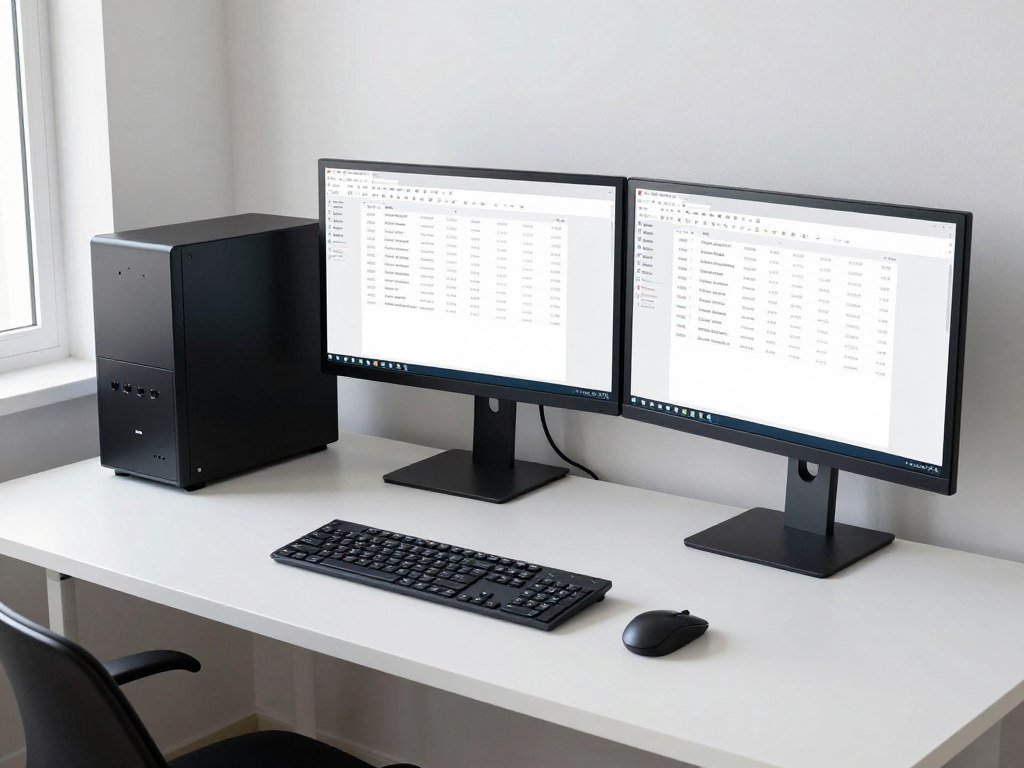
Resolution and display setup matters more for productivity than raw system power. A $400 desktop plus two $150 1080p monitors delivers better workflow than a $700 laptop with one cramped screen. Unless you literally never work at a desk, desktop makes more sense even for light use.
2026 Hardware Specific Considerations
Let’s talk about the specific hardware available right now in 2026. This isn’t theoretical—these are shipping products with real prices and real performance data. The hardware landscape shifted significantly this year, and it affects laptop versus desktop value calculations.
CPU Options Right Now
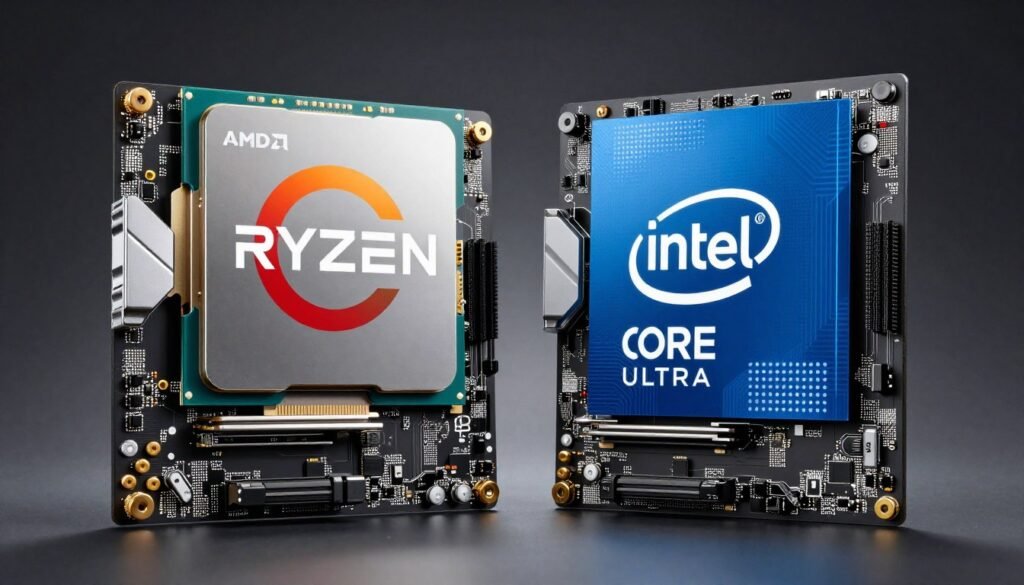
AMD Ryzen 9000 series chips deliver exceptional value in desktops. The Ryzen 7 9700X costs about $280 and handles gaming plus productivity beautifully. The Ryzen 9 9900X at $420 brings 12 cores and crushes multi-threaded workloads. Mobile versions of these chips exist but perform 30-40% worse due to power limitations. Intel versus AMD matters more in 2026 than most people think, especially when comparing mobile to desktop variants.
Intel Core Ultra series brought efficiency improvements but gaming performance still trails AMD in most scenarios. Intel shines in laptop form factors where their efficiency gains matter more. A laptop with Intel Core Ultra 7 might last 6-7 hours doing productivity work. The AMD equivalent dies in 4-5 hours. For desktop gaming? AMD wins on value. For laptop battery life? Intel has advantages.
GPU Landscape Changes
NVIDIA RTX 50-series completely reset expectations. Desktop RTX 5070 delivers roughly RTX 4080-level performance at $480. That’s a massive value improvement over last generation. RTX 5060 at $280 handles 1080p gaming maxed out and even decent 1440p performance. Budget desktop gaming got way better this year.
Mobile RTX 50-series cards share names but not performance levels with desktop counterparts. Mobile RTX 5070 performs closer to desktop RTX 5060 Ti. Mobile RTX 5060 is more like desktop RTX 5050. NVIDIA’s naming scheme misleads people into thinking mobile equals desktop—it absolutely doesn’t. Mobile versions consume 80-120W. Desktop versions pull 200-300W. Physics determines performance.
VRAM limitations hit laptops harder because you can’t upgrade. Many mobile GPUs ship with less VRAM than desktop equivalents. VRAM bottlenecks kill gaming performance in modern titles. A desktop RTX 5060 with 12GB VRAM outlasts a mobile RTX 5070 with 8GB VRAM in many scenarios.
RAM and Storage Advances
DDR5 RAM prices dropped significantly in 2026. Desktop 32GB DDR5-6000 kits cost $110-130. That’s the sweet spot for gaming and content creation. 64GB kits run $200-230 for users who need extra memory for VMs or heavy multi-tasking. Desktop RAM is user-installable—buying 16GB systems and upgrading later saves money.
Laptop RAM got complicated. Many manufacturers now solder RAM to the motherboard. You can’t upgrade—what you buy is what you get forever. Laptops that still have SO-DIMM slots charge premium prices. A laptop with upgradable RAM costs $100-200 more than the soldered equivalent. Factor this into purchase decisions or accept you’ll replace the laptop sooner.
NVMe SSD prices are identical between laptop and desktop. Both use M.2 form factor. But desktops have 2-4 M.2 slots typically. Laptops have 1-2 slots maximum. Desktop storage expansion is cheap and easy. Laptop storage expansion forces you into slower external drives or replacing the existing drive and dealing with OS migration headaches.
| Component | Desktop Price | Laptop Price | Desktop Performance | Laptop Performance |
| Ryzen 7 9700X / Mobile Equiv | $280 | $280 (in system) | 100% (8 cores, 5.5 GHz boost) | 70% (same cores, 4.8 GHz boost, throttles) |
| RTX 5070 / Mobile 5070 | $480 | $480 (in system) | 100% (200W TDP) | 65% (115W TDP, thermal limits) |
| 32GB DDR5-6000 | $120 | $120-180 | Dual channel, upgradable | Often soldered, limited upgrade |
| 1TB Gen 4 NVMe SSD | $75 | $75-95 | 2-4 slots available | 1-2 slots maximum |
| Cooling Solution | $40-80 | Included (inadequate) | Maintains boost clocks indefinitely | Throttles within 10-20 minutes |
Motherboard and Expansion
Desktop motherboards support multiple PCIe slots, M.2 slots, SATA ports, and USB headers. You can add capture cards, sound cards, WiFi cards, additional storage controllers, or whatever else you need. Expansion and customization define desktop flexibility. A $150 B650 motherboard for AMD or B760 for Intel provides more expansion than any laptop will ever offer.
Laptop motherboards are custom designs with no standardization. Every model is different. You can’t swap motherboards between laptop models. If the motherboard fails after warranty, you’re probably buying a new laptop. Desktop motherboard dies? Swap in a new one for $100-200 and you’re back up with all your existing components.
This flexibility matters more than people realize. Desktop systems evolve over time. Laptop systems are fixed at purchase. That fixed nature forces earlier replacement and kills long-term value. Component-level repairability saves money over system lifespan.
Space, Portability, and Practical Considerations
Performance per dollar matters, but real-world practicality affects satisfaction too. Let’s address the actual daily usage factors that influence laptop versus desktop choice beyond just benchmark numbers and costs.
The Physical Space Question
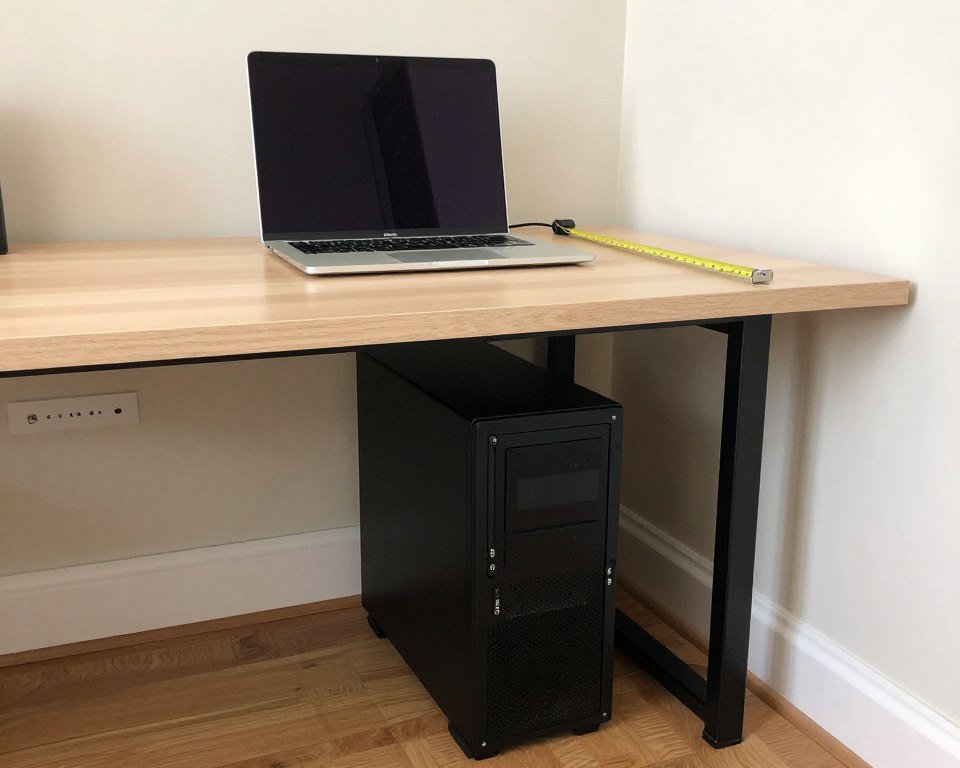
Desktop systems need dedicated desk space. A mid-tower case occupies roughly 18 inches height, 8 inches width, 18 inches depth. Add a monitor, keyboard, and mouse. You need about 4 feet of desk width minimum for a comfortable setup. That’s a real space commitment in small apartments or shared living situations.
Small form factor (SFF) desktops exist. Cases like the NZXT H1 or Fractal Terra reduce footprint to about 12 inches height, 7 inches width, 14 inches depth. Still more space than a laptop, but way smaller than traditional towers. SFF builds cost $50-100 more due to specialized cases and sometimes smaller components. But you keep all the desktop advantages—upgradability, cooling, performance—in a much smaller package.
Laptops theoretically save space. In practice, most people use laptops at desks with external monitors, keyboards, and mice anyway. At that point, the laptop itself is just an expensive computer brick occupying desk space. You didn’t save space—you just paid extra for portability you’re not using.
Portability Reality Check
Gaming laptops weigh 5-8 pounds. Add the power brick (another 1-2 pounds) and you’re hauling around a legitimate burden. These aren’t slip-in-your-bag ultrabooks. You need a dedicated laptop backpack. Moving from room to room in your house? Sure, that works. Carrying it daily to campus or work? Your back and shoulders will hate you within weeks.
Battery life kills portability benefits. Gaming laptops last maybe 2-4 hours doing light work on battery. Gaming on battery? You get 60-90 minutes maximum before it dies. You’re tethered to outlets, which defeats the portability argument. You’re just using a less-powerful desktop that you can technically move if you really want to deal with the hassle.
Honest assessment: If you move your computer between locations less than twice weekly, portability doesn’t matter enough to justify the cost premium. If you actually travel for work or school weekly, laptop makes sense. Everyone else is paying for a feature they rarely use.
Peripheral Costs and Considerations
Desktop requires separate peripherals. Monitor, keyboard, mouse, speakers or headset. This costs money upfront. Budget another $200-300 minimum for decent peripherals. Good news: These peripherals last multiple system generations. I’m using the same monitor from my 2019 build. Same mechanical keyboard too. These costs amortize over many years.
Laptop includes built-in display, keyboard, trackpad, and speakers. All of which are mediocre. Laptop keyboards feel mushy. Trackpads are fine for basic use but terrible for gaming or precision work. Laptop speakers sound tinny and quiet. Laptop displays are often 60Hz when desktops easily support 144-240Hz external displays.
Reality is most serious laptop users buy external peripherals anyway. External monitor for more screen space. Mechanical keyboard because laptop keyboards suck for extended typing. Gaming mouse because trackpads are worthless for gaming. You end up spending that peripheral money anyway while also paying the laptop premium. Worst of both worlds.
Noise Levels and Environment
Desktop systems can be quiet with proper cooling. Larger fans spin slower and quieter than small fans. Good cases with sound dampening materials keep noise down. My desktop at idle is basically silent. Under gaming load, it’s noticeable but not obnoxious. High-quality air coolers or AIO liquid coolers keep CPU temperatures reasonable without excessive noise.
Gaming laptops sound like jet engines under load. Small fans spinning at 5000-6000 RPM trying desperately to cool components in cramped spaces. You’re wearing headphones anyway while gaming, but everyone else in the room hears the laptop screaming. Laptop noise drives roommates and family members crazy. Desktops let you control fan curves and balance noise versus cooling.
Heat output matters too. Laptops dump heat directly into your lap or desk surface. Desktop heat exhausts out the back or top of the case, away from you. Laptop bottom surfaces hit 100-110°F during gaming. That’s uncomfortably hot and potentially dangerous for thigh contact over extended periods. Desktops keep heat away from your body.
The Bottom Line: Making Your Decision
We covered a lot of information. Time to synthesize this into actionable guidance. Here’s how to decide laptop versus desktop based on your actual situation, not marketing claims or what looks cool in YouTube videos.
Choose Desktop If
- Gaming is your primary use case and you want maximum performance per dollar
- You work from home or a fixed office location 90%+ of the time
- You plan to keep the system more than 3 years and want upgrade options
- You need maximum performance for content creation, 3D rendering, or compilation workloads
- You already own or are willing to buy quality peripherals that will last years
- You have dedicated desk space available
- You value repairability and long-term component cost savings
- You want to build or customize your system yourself
Choose Laptop If
- You genuinely work or game in 3+ different physical locations weekly
- You’re a student who moves between dorm, library, and home constantly
- You travel frequently for work and need to bring your computer
- You have literally zero space for a desktop setup
- You’re a photographer or videographer doing on-location editing
- You need a computer for presentations or client meetings
- You already own a desktop and need a secondary portable system
- Battery-powered use cases matter for your workflow
Consider the Hybrid Approach
Middle ground exists: cheap laptop for portability plus good desktop for performance. A $600 laptop handles mobile work, web browsing, and light tasks anywhere. A $1,200 desktop at home provides serious performance. Total investment $1,800 gives you best-of-both-worlds instead of a compromised $1,800 laptop that does both jobs poorly.
This approach makes tons of sense for developers, content creators, and students. Mobile device for classes, meetings, and coffee shop work. Desktop powerhouse for actual heavy lifting. You’re not carrying around expensive hardware daily. Your performance system stays safe at home. The cheap laptop is replaceable if something happens.
Performance Priority Path
You want maximum performance per dollar. Start with your budget. Allocate 60-70% to desktop computer components. Allocate 20-30% to monitor and peripherals you’ll keep for years. Allocate 10% to desk setup improvements if needed.
Buy current-generation hardware—RTX 5060 or higher, Ryzen 7 or 9 series CPUs. Don’t cheap out on power supply or motherboard. These components enable future upgrades. Do cheap out on case and RGB lighting—that money goes better into GPU or CPU performance.
Plan a GPU upgrade path in 2-3 years. Budget systems start with RTX 5060, upgrade to 5070 or 5080 when prices drop. Mid-range systems start with 5070, upgrade to next-gen equivalent later. This strategy keeps performance curve high while controlling costs.
Portability Priority Path
You actually need portability. Laptop is necessary. Don’t overspend trying to get desktop-level performance in laptop form factor—you can’t. Accept the performance limitations and optimize for other factors instead.
Prioritize build quality, battery life, and thermal design over maximum specs. A laptop that throttles constantly performs worse than a lower-spec laptop with better cooling. Weight matters—anything over 5 pounds gets annoying fast if you’re actually mobile.
Look for models with user-replaceable RAM and storage if possible. These are becoming rare but add years of usable life. Budget $150-200 for battery replacement in year 2-3. Plan to replace laptop every 3-4 years—they don’t last longer economically.
The Performance Per Dollar Winner
Desktop systems deliver 40-60% more performance per dollar spent than laptops at every price point. This gap widens at higher price tiers. The laptop mobility premium costs real money without delivering additional performance. For pure performance-per-dollar calculation, desktop wins decisively.
Portability has value—but only if you actually use it. Most people overestimate how often they’ll need portability and underestimate how much performance they’re sacrificing. Be honest with yourself about actual usage patterns before deciding.
Don’t Guess Your Next Purchase—Calculate It
Laptop or desktop, spending $800 or $3000, use the bottleneck calculator to see exactly what performance you’ll get before you buy. It takes 30 seconds and might save you hundreds in wasted hardware.
Final Thoughts on the 2026 Reality
The laptop versus desktop debate hasn’t gotten simpler in 2026—if anything, it got more complex. New hardware raised performance ceilings while increasing the mobile performance gap. Desktop builds deliver exceptional value right now. Laptop builds remain expensive for what you actually get.
My personal take after building systems for 15 years: Most people who buy gaming laptops should have bought desktops. They use portability maybe twice a month but sacrifice performance daily. They pay extra for battery life they never use because they’re plugged in constantly. They hit upgrade walls after two years instead of refreshing components as needed.
Exceptions exist. Students genuinely benefit from portability. Business travelers need laptops. Content creators working on location need mobile editing. But if you work from home and game from your desk, desktop is the obvious answer. The money you save on better performance-per-dollar pays for the peripherals quickly.
Look at your actual usage patterns. Be ruthlessly honest. If you game or work from the same desk 90% of the time, portability premium wastes money. If you genuinely move between locations daily, laptop investment makes sense. Most people fall into the first category while convincing themselves they’re in the second.
The performance-per-dollar gap in 2026 is real and significant. Desktop delivers substantially more value at every price point. Mobile components improved, but desktop components improved faster. Physics limits laptop cooling and power delivery. These constraints won’t disappear next year or the year after. Desktop advantages remain structural, not temporary.
Whatever you choose, verify your component compatibility before buying. Check for bottlenecks. Make sure your CPU and GPU balance properly for your resolution and use case. Make sure your power supply handles your components with headroom. A balanced system at a lower price point outperforms an unbalanced expensive system every time. Performance per dollar matters, but balanced performance per dollar matters even more.