What is a CPU and Why Does it Matter for Gaming?
Ever wondered why some games run smoothly while others stutter? It all comes down to your computer’s brain, the PC Brain. Knowing how it works helps you choose the right parts for your gaming setup.
We often overlook the central processor, but it’s key. It makes your system fast and efficient. Learning about it lets you get the best out of your gaming experience.
Key Takeaways
- The processor functions as the primary command center for your computer.
- It translates complex game data into the smooth visuals you see on screen.
- Choosing the right hardware prevents bottlenecks during intense gameplay.
- Technical knowledge empowers you to optimize your system for better performance.
- Understanding your gear ensures you get the most value from your gaming investment.
Understanding the Basics of a CPU
Every powerful gaming rig needs a key piece of hardware to work right. Before we dive into optimizing systems for new games, we must understand the CPU’s role.
Definition of a CPU
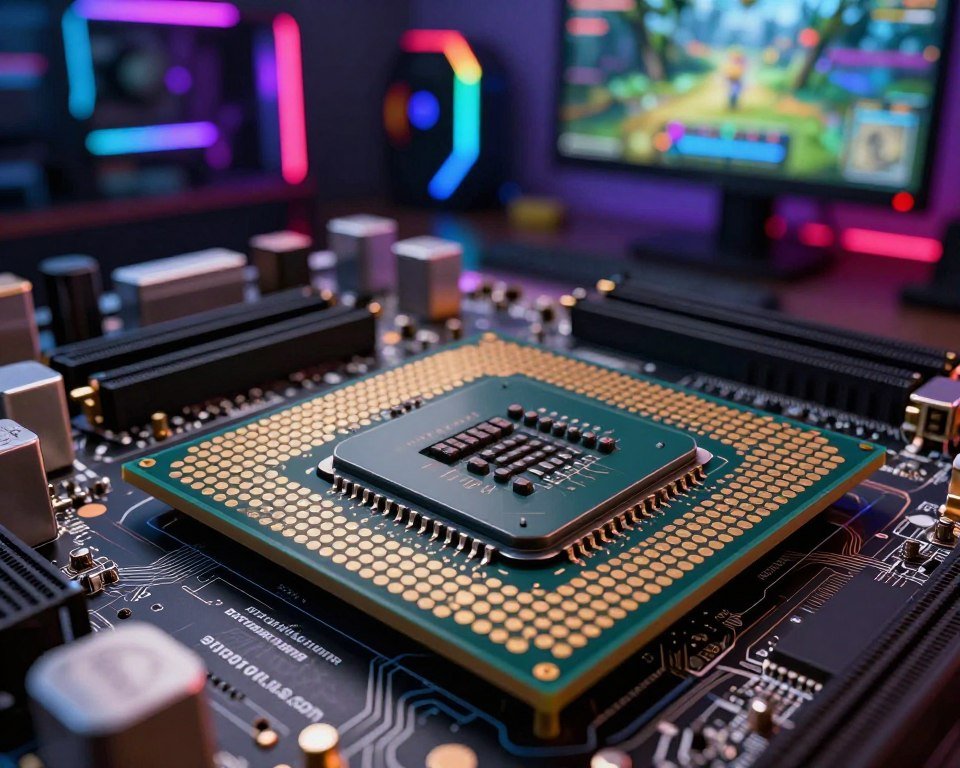
So, what is a CPU? It’s the main part that does what a computer program tells it to. It handles basic math, logic, and input/output tasks. We call it the PC brain because it controls everything we do.
“The computer was born to solve problems that did not exist before.”
Core Functions of a CPU
The processor goes through a cycle of fetching, decoding, and executing instructions. It gets data from memory, figures out what to do, and then does it.
The CPU also manages data flow between different parts. It makes sure our keyboard, mouse, and software requests are handled right. This seamless coordination makes our machines fast and responsive.
CPU vs. Other Components
It’s easy to mix up the CPU with other parts, but each has its own job. The processor handles general tasks and system management. The GPU, on the other hand, focuses on graphics and visuals.
Think of these parts as a team:
- CPU (PC Brain): Directs the overall operation and handles complex logic.
- GPU: Processes the heavy lifting required for high-resolution gaming visuals.
- RAM: Acts as a temporary workspace for the data the CPU needs to access quickly.
Knowing what is a CPU shows it’s the base of our experience. Without it, our computers wouldn’t know what to do.
The Importance of a CPU in Gaming
When we play our favorite games, we often overlook the engine that drives them. The graphics card shows us the visuals, but the processor is the brain. It handles every movement, physics, and AI decision.
Role of the CPU in Game Performance
Modern games are complex, needing our hardware to manage many things at once. In open-world games, the processor tracks every object and character. Having enough Cores helps the system handle these tasks well, making the game world feel alive.
A weak processor can cause lag or stuttering in games. Even with a great graphics card, a poor CPU can’t keep up. This leads to a frustrating experience where the game’s pace is uneven.
CPU and Frame Rates
The connection between our processor and frame rates is key for smooth gameplay. A fast Clock Speed means instructions are processed quickly, leading to more frames per second. If the processor can’t keep up with the graphics card, we hit a bottleneck.
We want our games to run smoothly for total immersion. By matching our hardware, we make sure the processor feeds the graphics card well. This teamwork is what makes gaming seamless and fun.
Examples of High-Performance CPUs for Gamers
Some processors are top choices for gaming. The Intel Core i9 and AMD Ryzen 9 series are great for high-end gaming. They have lots of Cores and a high Clock Speed, perfect for demanding games.
Choosing these powerful chips lets us fully use our systems. Whether in fast-paced shooters or vast digital worlds, a strong processor ensures we’re not held back. The right chip is the key to a superior gaming experience.
Factors to Consider When Choosing a CPU
Choosing the right CPU is key to a great computer. The market can be confusing with all the technical terms. But, focusing on a few important metrics can help us make a smart choice.
Number of Cores and Threads
Modern games and apps need fast processing. Cores are like workers in the chip, handling tasks at the same time. Threads show how well those cores work together.
For gamers, six cores are usually enough. This setup helps with gaming and running other apps like chat software. Multitasking gets easier with the right hardware.
Clock Speed and Performance
Clock Speed is also key. It shows how many cycles a processor can do per second. A higher speed means faster performance in games.
For games that need quick calculations, a fast chip is better. Look for processors with high base and boost speeds. Finding the right balance between speed and cores is important.
Compatibility with Other Hardware
Before buying, check if the CPU fits your system. The biggest mistake is ignoring motherboard socket compatibility. Make sure your motherboard supports the CPU you want.
Also, think about cooling. High-performance chips get hot, needing a good cooler. Checking these compatibility factors early saves us from upgrade problems and keeps our build stable.
Popular CPU Brands and Models for Gamers
In the world of gaming hardware, Intel and AMD are the top names. Finding the right processor can seem hard, but knowing these brands helps a lot.
Intel Processors Overview
Intel is well-known for its consistent performance and fast speeds. Their Core series, from i3 to i9, has something for every gamer.
Intel chips are great for single-core tasks, which is key for many games. Choosing an Intel processor means a reliable experience that works well with most setups.
AMD Processors Overview
AMD has changed the game with its Ryzen lineup. These chips are known for their excellent multi-core efficiency and good prices. They’re a top pick for those watching their budget.
AMD is also praised for keeping socket compatibility for longer. This means we can upgrade our processor without changing our whole motherboard, saving money.
Comparisons and Recommendations
Choosing between Intel and AMD depends on what we want from our gaming experience. If speed is key for competitive play, Intel might be the better choice. But for a processor that’s good at streaming and multitasking, AMD is a great option.
| Brand | Best For | Key Strength |
|---|---|---|
| Intel | Competitive Gaming | High Clock Speeds |
| AMD | Multitasking & Value | Multi-core Efficiency |
| Recommendation | Balanced Build | Reliable Processor |
Both Intel and AMD offer amazing tech to enhance our gaming. We should think about our budget and favorite games to pick the best processor for us.
Conclusion: Investing in the Right CPU for Our Gaming Experience
Choosing the right CPU for our gaming setup is key. It ensures smooth gameplay and keeps our system fast. This balance is vital for a great gaming experience.
The Value of Processing Power
Quality hardware is the base for years of fun. A strong processor lets our graphics card shine. Modern games need fast data handling for a real feel.
Looking Toward Future Innovations
The tech world is always changing. We see more Threads in new CPUs for handling complex tasks. This keeps our PC up-to-date as games get more demanding.
Final Thoughts on Hardware Selection
Think of your CPU as a long-term gaming partner. Intel and AMD have many options for different budgets and styles. Researching current benchmarks helps find the best CPU for you. A well-thought-out build keeps your gaming strong for years.
FAQ
Why is the CPU often referred to as the PC Brain?
We call the Processor the PC Brain because it’s the main controller of our system. It works like our brain, understanding instructions and managing how all hardware works together. This includes our GPU and RAM, making sure our system runs smoothly, from the operating system to games like Cyberpunk 2077.
How do Cores and Threads impact our gaming experience?
Cores are like individual workers in the Processor. Threads let those workers handle many tasks at once. For gaming, having more Cores and Threads is key. It helps our system handle game physics, background apps, and AI without slowing down our games.
Does Clock Speed actually make a difference in how our games run?
Yes, it does! Clock Speed shows how many cycles a Processor can do in a second. A higher Clock Speed means faster performance and higher Frame Rates in games. This ensures our actions on the keyboard and mouse are shown instantly on the screen.
How do we know if we are experiencing a CPU bottleneck?
A bottleneck happens when our Processor can’t keep up with our graphics card. If our GPU usage is low but our CPU is at 100%, it means our “brain” is struggling. This can cause Frame Rates to be inconsistent, making games less enjoyable.
Should we choose an Intel or AMD Processor for our gaming rig?
Both Intel and AMD offer great options. Intel’s Core i9-14900K is known for its single-core performance, perfect for gaming. AMD’s Ryzen 7 7800X3D uses 3D V-Cache technology for fast gaming speeds. Our choice depends on our budget and if we’ll be doing content creation too.
Why is it important to check our Motherboard compatibility before upgrading?
Every Processor needs a specific socket type to work. We must make sure our Motherboard has the right chipset and socket for our new chip. If they don’t match, our system won’t work. So, we always check compatibility lists from manufacturers like ASUS or MSI before buying.
How does a quality CPU help with future-proofing our system?
A high-quality Processor helps us stay ahead of new games. By choosing a chip with extra Threads and modern tech, our rig can handle future games without needing an upgrade soon. This saves us money and effort in the long run.