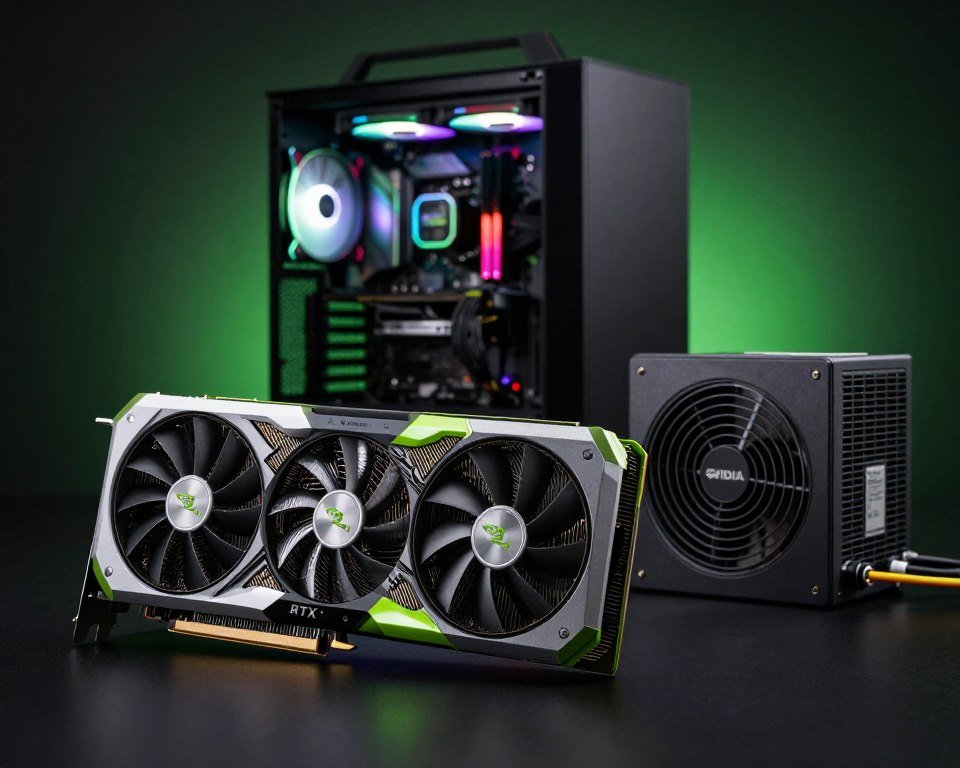
NVIDIA RTX 50-Series Power Needs Explained
Ever wondered if your power supply can handle the latest gaming tech? As we look to upgrade, knowing the power needs of the NVIDIA RTX 50-Series is key for keeping your system stable.
High-end gear needs a steady flow of power to perform well. Without it, even the priciest parts can slow down or shut off unexpectedly. Protecting your investment means knowing exactly how much power your system needs.
In this guide, we’ll look at how these cards work with your setup. By the end, you’ll be fully confident in picking the right power parts for your system. Let’s get into the NVIDIA RTX 50-Series and make sure your rig stays powered for years.
Key Takeaways
- Understand the critical relationship between power supply units and high-end graphics cards.
- Learn how to calculate the total wattage required for your specific PC build.
- Discover why stable energy delivery is vital for the longevity of your hardware.
- Identify the signs that your current power supply might be insufficient for upgrades.
- Gain confidence in selecting reliable components that prevent system crashes and instability.
Understanding Power Requirements for RTX 50-Series
Getting the most out of your graphics cards starts with reliable power. When we build or upgrade our systems, we often focus on the GPU and CPU. But the power supply unit is the true heartbeat of the machine.
Importance of Power Supply Units (PSUs)
A high-quality power supply unit is key for system stability. It turns electricity from your wall outlet into clean, consistent energy. This energy is what your sensitive components need to work their best.
Without a reliable unit, you might see random crashes or performance throttling during intense gaming. Always choose a unit that provides enough Wattage for your peak load without stress.
Factors Affecting Power Consumption
Calculating the total Wattage for your build is more than just looking at the GPU specs. Every component, from your high-speed NVMe drives to your cooling fans, draws power. This power comes from the same source.
Load levels greatly affect how much energy your system pulls. When you push your graphics cards to their limits during 4K gaming, power draw spikes. This is different from idle desktop tasks.
Energy Efficiency Features
Modern power supplies often have efficiency ratings, like the 80 Plus certification. These ratings show how well the unit converts power and minimizes wasted heat.
Choosing an efficient unit saves on electricity costs over time. It also keeps your internal temperatures lower. Investing in efficiency is wise for any enthusiast who wants a quiet, cool, and sustainable gaming setup.
Comparing RTX 50-Series Power Needs to Previous Generations
Looking at how power demands have changed helps us see the amazing tech in our PCs. Over the last ten years, graphics cards have gone from simple to complex. Now, they handle tasks that were once impossible.
Evolution of GPU Power Demands
Before, power use went up as clock speeds did. But now, we have smarter ways to manage power. This lets us get better performance without using too much energy.
- Early generations focused on just getting faster.
- Later, we added power saving features for when the GPU is idle.
- Now, we aim for the most performance per watt to keep things cool.
How the RTX 50-Series Stands Out
The RTX 50-Series is a big step forward in handling intensive workloads. They use advanced real-time ray tracing and AI-enhanced graphics. This means they need a strong power supply to keep up.
“The true measure of a modern GPU is not just how much power it consumes, but how effectively it translates that energy into visual realism.”
Performance vs. Power Consumption
When we talk about performance, we also think about power use. The RTX 50-Series uses more power but gives better results. This is key for those who want the best without wasting energy.
The aim is to get the most out of our systems while keeping them stable. By knowing how things have changed, we can choose better upgrades for the future.
Choosing the Right Power Supply for Your System
Your power supply is the heart of your NVIDIA RTX 50-Series setup. Choosing the right one is key for a stable and high-performance machine. We aim to keep your gaming experience smooth, avoiding crashes or system instability.
Wattage Recommendations for RTX 50-Series
Finding the right Wattage is the first step in building your system. These cards need a lot of power to perform well. Here are some wattage recommendations:
- 850W: Good for mid-range builds and standard setups.
- 1000W: Ideal for high-end gaming rigs with overclocked parts.
- 1200W+: Best for those with multiple drives or high-draw processors.
Modular vs. Non-Modular PSUs
When buying a power supply, you’ll see modular and non-modular options. Modular PSUs let you use only the cables you need. This improves airflow and makes cable management easier.
Non-modular units have all cables attached. They’re cheaper but can make your case look messy. We recommend a modular design for a clean and efficient build.
Trusted PSU Brands for Gamers
Reliability is critical when powering expensive hardware. Look for high-efficiency ratings like 80 Plus Gold or Platinum. Choosing a reputable brand ensures consistent power output under heavy loads.
Many brands are trusted for their performance. When picking a NVIDIA RTX 50-Series power supply, consider these top brands:
- Corsair: Known for quality and quiet operation.
- Seasonic: Famous for long warranties and stable power.
- EVGA: A top choice for gaming enthusiasts at various prices.
System Compatibility and Power Supply Connections
Connecting your new GPU to your power supply is key in building a top-notch machine. We aim to ensure your hardware gets stable power without any issues. Proper cable management and secure connections are vital for a reliable PC gaming experience.
Understanding PCIe Power Connectors
Modern graphics cards need more advanced power delivery. Older cards used standard 6-pin or 8-pin connectors. But, newer models often use the 12VHPWR standard. This connector handles higher Wattage needs while keeping your build tidy.
Always check your GPU manual for the right cable setup. Using the wrong adapter can cause instability or even damage. It’s best to use the native cables from your power supply maker.
Compatibility with Existing Systems
Before buying, make sure your case fits the card and cables. Some graphics cards are long and might block your drive cages or fans. Also, check if your motherboard has the right PCIe slot for the card’s thickness.
Also, check if your power supply can handle the card’s power needs. If it’s too close to its limit, you might face shutdowns during gaming.
Upgrading Your PSU
If your power supply doesn’t meet the needs, upgrading is a must. Look for 80 Plus Gold or Platinum certified units for high efficiency. A modular power supply is great because it lets you use only the cables you need, reducing clutter.
| Connector Type | Max Power Delivery | Common Usage |
|---|---|---|
| 6-Pin PCIe | 75 Watts | Entry-level GPUs |
| 8-Pin PCIe | 150 Watts | Mid-range GPUs |
| 12VHPWR | 600 Watts | High-end RTX 50-Series |
Choose reputable brands for safety features like over-voltage and short-circuit protection. Installing your new power supply correctly will give you peace of mind for years. Investing in quality power components is the best way to protect your expensive hardware.
Powering High-Performance Setups with RTX 50-Series
Building a top-notch rig with the NVIDIA RTX 50-Series is more than just about power. You need to make sure every part gets clean, steady power. This is key to unlocking your hardware’s full power during intense gaming.
Recommendations for Gaming Setups
For 4K gaming, your system must handle big power jumps smoothly. Get a power supply that can handle more than your GPU and CPU need. This stops your system from shutting down when things get intense.
To keep up with high refresh rates, follow these tips:
- Choose high-quality, sleeved cables for less resistance.
- Look for a power supply with an 80 Plus Gold or Platinum rating.
- Make sure your case has great airflow to keep things cool.
Optimal Builds for Content Creators
For pros, reliability is key during long rendering tasks. When you push the NVIDIA RTX 50-Series hard, it must stay stable. A strong power system keeps your work safe.
Here’s a table showing power needs for different users:
| User Profile | Primary Focus | Power Priority |
|---|---|---|
| Hardcore Gamer | 4K gaming | Stability under load |
| Video Editor | Rendering speed | Consistent voltage |
| 3D Artist | High refresh rates | Thermal efficiency |
Balancing Performance and Power Draw
Getting the best performance is all about finding the right balance. You want your GPU to run fast but keep it cool. Watch your power draw to fine-tune your settings for the best experience.
Use software to track your wattage in real-time. This lets you see if your system is using too much power. Smart power management keeps your NVIDIA RTX 50-Series efficient and powerful.
Understanding Thermal Management and Power Usage
When we push our hardware to the limit, we must consider how power translates into thermal energy. Every watt of electricity consumed by your graphics card eventually turns into heat that your system must dissipate.
How Power Affects Heat Generation
Modern gaming experiences rely heavily on real-time ray tracing to create lifelike lighting and shadows. These complex calculations require significant electrical current, which naturally increases the thermal output of the GPU.
Also, AI-enhanced graphics demand high computational power to upscale images and improve frame stability. As the GPU works harder to process these advanced features, the internal temperature rises rapidly. Effective heat management is essential to ensure your components remain within safe operating limits during intense gaming sessions.
Cooling Solutions for RTX 50-Series
To handle the thermal load of the latest hardware, we recommend investing in robust cooling solutions. High-end air coolers with multiple heat pipes are often sufficient for standard builds, but liquid cooling provides a superior advantage for sustained heavy workloads.
Proper case airflow is equally vital for maintaining a stable environment. By ensuring that cool air enters from the front and hot air exits through the top or rear, you create a consistent thermal path. This simple setup prevents heat from becoming trapped around your GPU.
| Cooling Method | Thermal Efficiency | Noise Level | Best For |
|---|---|---|---|
| Standard Air Cooling | Moderate | Low | Casual Gaming |
| High-Performance Air | High | Medium | Enthuasiast Builds |
| Liquid Cooling (AIO) | Excellent | Low | High Refresh Rates |
Managing Your System’s Thermal Efficiency
Maintaining high refresh rates requires your GPU to operate at peak performance without interruption. If the card gets too hot, it will automatically throttle its speed to protect itself from damage. This leads to noticeable stuttering and a drop in visual quality.
We suggest using monitoring software to keep an eye on your temperatures during long gaming sessions. Keeping your drivers updated and cleaning dust from your fans regularly will help maintain optimal airflow. Taking these small steps ensures your system remains cool, quiet, and ready for any challenge.
Green Computing: The Eco-Friendliness of RTX 50-Series
We can love the planet and high-end graphics at the same time. As we explore new heights in visual fidelity, we’re also moving towards greener tech.
Today’s PC gaming gear is more than just fast. It’s about giving you amazing experiences without harming the environment.
Power Efficiency Standards
New GPUs have smart power management. They use less power when you’re not playing 4K games at full speed.
This tech cuts down on heat waste. It’s a big win for the whole tech world.
Long-Term Savings on Energy Bills
Going for energy-saving tech is wise. Even though top-notch parts cost more, you save money on electricity over time.
“True innovation in technology is measured not just by performance, but by how efficiently we can achieve our goals without unnecessary waste.”
Buying an efficient GPU means you spend less money. It makes gaming better and more affordable for everyone.
Contributing to Sustainable Gaming
Being eco-friendly means making smart choices. We can all help by picking tech that’s good for the planet.
The table below shows how better efficiency changes your daily use:
| Feature | Standard GPU | RTX 50-Series |
|---|---|---|
| Idle Power Draw | Moderate | Very Low |
| Efficiency Ratio | Baseline | High Performance |
| Heat Output | High | Optimized |
| Energy Savings | None | Significant |
In the end, being mindful of our energy use is key. By choosing wisely, we keep PC gaming bright and green for the future.
Conclusion: Making Informed Choices for RTX 50-Series
Building a strong gaming rig needs careful attention to every detail. We’ve looked at the key steps to make sure your hardware works at its best.
Recap of Power Needs
Good energy flow is key for any top machine. The NVIDIA RTX 50-Series needs a steady power supply. This keeps performance steady during long gaming or heavy rendering tasks.
Final Thoughts on System Upgrades
Upgrading parts is rewarding when you choose quality. A good power supply unit keeps your system running well for years. Always check your current wattage before adding the latest NVIDIA RTX 50-Series card.
Becoming a Responsible GPU User
Smart energy use saves money and helps the planet. Watch your power use and keep your system cool. This boosts your graphics card’s performance and cuts waste. Share your build stories or ask questions in our community forums below.
FAQ
What is the recommended Wattage for the new NVIDIA RTX 50-Series graphics cards?
For high-end models like the RTX 5090, we recommend at least 850W to 1000W. This ensures your gaming setup stays stable. It also helps manage power spikes during intense gaming or complex tasks.
How do real-time ray tracing and AI-enhanced graphics impact my power needs?
These features boost the RTX 50-Series’ performance but increase energy use. When using these features, the GPU’s load goes up, so does the power demand. A high-quality PSU keeps your system stable.
Will I need to upgrade my PCIe power connectors for this new generation?
Yes, it’s likely. The RTX 50-Series uses 12VHPWR or 12V-2×6 connectors for clean power. If your PSU doesn’t support these, consider a modern modular unit from Corsair or Seasonic. Adapters alone might not be enough.
How does thermal management relate to the power consumption of these graphics cards?
Power and heat are linked. Higher power use means more heat. Good cooling is key to prevent overheating and keep performance high during long gaming.
Can choosing an efficient PSU help me save on energy bills?
Yes, it can. Choosing PSUs with high efficiency ratings, like 80 Plus Gold or Platinum, reduces waste heat. This supports stability and saves on energy bills, making your rig eco-friendly.
Why should we prefer modular PSUs for an RTX 50-Series build?
Modular PSUs are better because they let us use only needed cables. This is important for RTX 50-Series builds to keep airflows and space for cooling. It also makes our PCs look cleaner and helps with thermal management.
Is my older PSU compatible with the power requirements of the RTX 50-Series?
Older high-Wattage PSUs might work, but they might not meet today’s standards. Check your PSU’s age and specs to see if it can handle the RTX 50-Series’ power needs.